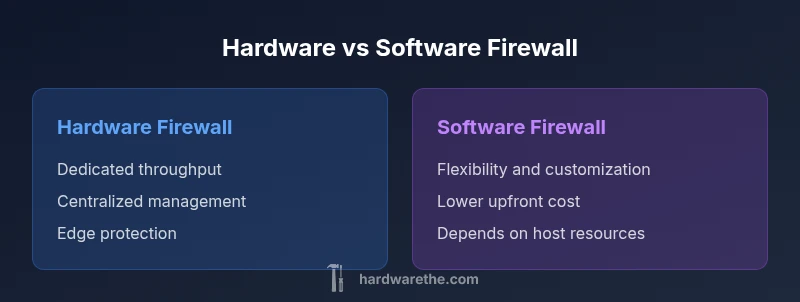
Hardware vs Software Firewall: In-Depth Side-by-Side
A rigorous comparison of hardware and software firewall options, covering performance, management, cost, and deployment scenarios for DIY enthusiasts and businesses.


Hardware firewalls typically offer stronger network-level protection and dedicated performance, while software firewalls provide flexibility and lower upfront cost. For small networks, a hardware firewall is often best for consistency and ease of management; for highly customized setups or budget constraints, software firewalls on capable hardware can suffice. Both can support intrusion prevention, VPN, and logging, but implementation cost, maintenance, and vendor ecosystems differ.
What is a hardware or software firewall?
When people talk about a hardware or software firewall, they're comparing two fundamental approaches to controlling traffic between networks. The phrase refers to a firewall that is a dedicated device (hardware firewall) versus a firewall that runs as software on commodity hardware (software firewall). The hardware variant is a stand-alone appliance with its own processor, memory, and network interfaces, designed to handle high-speed traffic with minimal impact on other hosts. The software variant operates on a host—such as a server, PC, or a consumer router's built-in OS—and shares resources with other tasks. The comparison matters because it shapes throughput predictability, management experience, and total cost of ownership. The Hardware's perspective underscores that hardware firewalls often provide consistent performance and robust security features without taxing other devices, which is crucial for larger networks or critical segments. On the other hand, software firewalls can be more flexible for customization, rapid iteration of rules, and cheaper entry points for small networks. In evaluating a solution, consider your threat model, expected growth, and skill level.
Why the distinction matters for DIY networks
For DIY networkers, the choice between a hardware or software firewall affects setup complexity, ongoing maintenance, and the ability to scale. Hardware devices are designed to integrate with existing network gear and often offer a single-pane interface for configuration, logs, and updates. They also tend to isolate processing to dedicated hardware, reducing the risk of consumer devices becoming performance bottlenecks. Software firewalls, by contrast, run on general-purpose hardware or as part of an operating system, which makes them attractive for tech-savvy owners who prefer granular control and lower upfront costs. The Hardware team notes that the right choice depends on your threat model and growth trajectory; a modest home network might start with software, but a growing business might prefer the predictability and support that a dedicated appliance provides.
Hardware firewall characteristics
Hardware firewalls are purpose-built networking appliances with dedicated CPU, memory, and network interfaces. They excel at throughput stability, low latency under load, and predictable performance across feature-rich rulesets. Most models ship with integrated VPN support, IDS/IPS capabilities, and centralized management options that work across multiple devices. Reliability and warranty are core selling points, as is the ability to handle high-volume traffic without consuming host resources. In practice, you pay a premium for hardware specialization, but you gain consistent performance, easier remote management, and simpler disaster recovery since the device is isolated from other network tasks. The hardware approach suits networks that require steady, scalable protection at the edge.
Software firewall characteristics
Software firewalls run as applications on existing hardware—often a dedicated server, a workstation, or a consumer router running a configurable OS. They offer flexibility: you can tailor rules precisely, install additional modules, and adapt quickly to new threats. Software firewalls typically deliver lower upfront costs because you leverage off-the-shelf hardware and open-source or low-cost licenses. However, performance can be uneven if the host is under heavy load; you may need to tune resources, isolate workloads, and monitor for resource contention. For technically proficient owners, software firewalls enable rapid experimentation and customization, which can be advantageous in complex or evolving environments.
Primary decision criteria
Choosing between hardware and software firewall hinges on several criteria: expected throughput and latency, total cost of ownership, maintenance burden, feature depth (VPNs, IDS/IPS, reputation-based filtering), and ease of management. Hardware devices often deliver consistent line-rate performance and vendor-backed support. Software firewalls offer flexibility, frequent updates, and better cost efficiency for small networks. Consider your network size, growth expectations, the skill set of the admin, and whether you require centralized management across several locations. Security updates, patch cadence, and integration with other security tools (SIEMs, endpoint protection) should also guide your decision.
Deployment scenarios: home vs small business
Home networks tend to prioritize simplicity and affordability. A software firewall on a capable PC or a consumer router with robust firmware can meet basic protections, especially when combined with strong default rules and regular updates. Small businesses often demand edge protection, QoS, VPN access for remote workers, and predictable performance under variable loads; hardware firewalls frequently deliver these benefits with minimal performance surprises. For environments with strict uptime requirements, a hybrid approach—hardware edge protection complemented by software components for internal segmentation—can provide resilience and flexibility. The Hardware team emphasizes aligning deployment choices with the organization’s threat model and maintenance capacity.
Feature-by-feature comparison you care about
Both hardware and software firewalls commonly support: firewall rules, VPN, NAT, logging, and threat intelligence feeds. Key differentiators include management experience (vendor-provided vs in-house), update cadence, and integration with other security layers. Hardware solutions usually ship with polished UIs, centralized consoles, and guaranteed throughput at scale. Software options enable customization through scripts, plugins, and modular packages, but require more hands-on administration. When evaluating features, consider the quality of intrusion prevention, the breadth of VPN options, compatibility with your OS/hypervisor, the availability of automated backups, and the robustness of security advisories. Your choice should reflect not only features but also how easily those features can be kept up to date.
Performance and cost considerations
Performance planning should account for peak traffic, concurrent connections, and the nature of protected services. Hardware firewalls often advertise higher, more predictable throughput with dedicated hardware acceleration. Software firewalls scale with the host hardware and may require additional resources to avoid bottlenecks. Costs include hardware price, licensing, maintenance, and potential downtime. Hardware solutions have higher upfront costs but can lower ongoing expenses due to simplified management and longer replacement cycles. Software options typically start with a lower upfront price, but long-term licensing, support contracts, and hardware refresh cycles can affect total cost. In budgeting, estimate the total cost of ownership and consider the potential need for redundancy to meet uptime objectives.
Security implications and common pitfalls
Misconfigurations are among the most common risks in both approaches. With hardware, a single incorrect rule or misapplied NAT can expose internal networks. With software, improper resource allocation or outdated modules can leave gaps in protection. Regular rule reviews, secure defaults, and a defined change-management process are essential regardless of the platform. Ensure VPN configurations use strong authentication, and enable logging and alerting to detect anomalies. Test changes in a staging environment when possible, and plan for routine firmware or software updates to close known vulnerabilities. Both options benefit from ongoing monitoring and a clear incident response plan.
Implementation steps: how to choose and deploy
Begin with a needs assessment: identify network size, critical assets, remote access needs, and expected growth. Next, shortlist models or software platforms that meet your requirements. Evaluate throughput at realistic traffic levels, then verify vendor support, firmware/patch cadence, and integration with existing security controls. Plan deployment with minimal downtime: schedule updates during maintenance windows, configure backups, and set up a test environment if possible. After deployment, monitor performance and security events, and refine rules based on observed traffic patterns and threat intelligence. Finally, document configurations and create an ongoing review cadence to adapt to evolving threats.
Next steps for ongoing management
Establish a documented security policy for firewall rules, including baseline allow lists and implicit deny rules. Automate updates where feasible, and implement versioned backups of configurations. Regularly review access logs, VPN usage, and IDS/IPS alerts; tune signatures and rules to reduce false positives. Schedule quarterly or semi-annual rule reviews, and run tabletop exercises to test response procedures. Consider integrating with a broader security platform (SIEM, EDR) for centralized visibility, and re-evaluate hardware versus software decisions if network requirements change significantly.
Authority sources
For authoritative guidance on network security and firewall best practices, consult:
- https://www.cisa.gov
- https://www.nist.gov
Comparison
| Feature | Hardware Firewall | Software Firewall |
|---|---|---|
| Throughput and latency | Dedicated hardware with line-rate performance | Depends on host hardware and configuration |
| Feature set | Integrated VPN, IDS/IPS, NAT, logging via appliance | Modular features via OS/packages |
| Management and updates | Vendor-managed updates and centralized console | Manual or script-driven updates; more hands-on |
| Deployment complexity | Plug-and-play at network edge | Requires proper host/hypervisor setup |
| Cost of ownership | Higher upfront cost; predictable OPEX | Lower upfront cost; potential licensing/uptime risks |
| Scalability | Built-in scalability with appliance upgrades | Scales with host resources and environment |
| VPN support | Native, enterprise-grade VPN options | Depends on software and add-ons |
| Best for | Edge protection for larger or growing networks | Budget-conscious setups requiring customization |
Upsides
- Predictable performance with dedicated hardware
- Centralized management and vendor support
- Isolated processing reduces risk to other systems
- Easier compliance and auditing for larger networks
Negatives
- Higher upfront costs and potential hardware refresh cycles
- Less flexibility for rapid changes or experimentation
- Single point of failure unless redundancy is implemented
- Firmware updates can cause brief downtime
Hardware firewall generally wins on performance and edge protection; software firewall wins on flexibility and cost-efficiency.
If you prioritize consistent throughput and easier remote management, choose hardware. If you need customization and a lower initial investment, software is often preferable, provided you can manage ongoing maintenance.
FAQ
What is the main difference between a hardware and a software firewall?
A hardware firewall is a dedicated device that handles traffic at the edge, while a software firewall runs on general-purpose hardware. Both aim to block unwanted traffic, but they differ in performance stability, manageability, and total cost of ownership.
A hardware firewall is a dedicated box for edge protection; a software firewall runs on a regular computer. Both protect your network, but one is built for performance and the other for flexibility.
Which option is better for a home network?
For many homes, a software firewall on a capable router or PC is sufficient, especially when budget is tight. If you expect growth, frequent remote access, or need simpler centralized management, a hardware firewall can reduce ongoing admin effort.
For most homes, software is fine, but hardware gets easier long-term management if you’re growing.
Can a software firewall run on a dedicated appliance?
Yes. A software firewall can run on a dedicated device or server. Ensure the hardware has sufficient resources and plan for regular maintenance and updates to keep protection current.
Yes, you can use a dedicated device for software firewalls, just mind the resources and updates.
Do hardware firewalls support VPNs?
Most hardware firewalls include built-in VPN capabilities, but verify supported protocols, client software, and remote access options before purchase.
Yes, most hardware firewalls offer VPN options; check protocols and client support before buying.
Are software firewalls inherently more secure?
Not inherently. Security depends on configuration, updates, and monitoring. Both can be secure with proper practice; misconfigurations and outdated rules are common risks.
Both can be secure if you configure and update them properly.
What maintenance do firewalls require?
Regular updates, rule audits, and log monitoring are essential for both types. Hardware may need firmware updates; software may require patching and module management.
Keep updates coming, audit rules, and watch logs.
Main Points
- Assess network size, growth, and threat model before choosing
- Weigh total cost of ownership, not just purchase price
- Prefer hardware for edge protection; prefer software for customization
- Ensure robust update processes and monitoring regardless of choice
- Test configurations in a controlled environment prior to full deployment