Drywall Anchors for TV Mount: A DIY Installation Guide
Learn to securely mount a TV using drywall anchors. This guide covers anchor types, wall preparation, and a step-by-step installation to minimize wall damage.


You will learn how to securely install drywall anchors for tv mount, select anchor types based on wall type and TV weight, and complete a safe step-by-step mounting process. Expect guidance on planning, prep, and testing for a solid, wall-friendly mount. By the end you can mount with confidence and minimize wall damage.
Understanding drywall anchors for tv mount and load paths
Mounting a TV to drywall requires understanding how load travels from the bracket to the wall. Drywall anchors for tv mount are designed to spread the TV's weight across a larger area of the wall material, reducing the chance of a pull-out. The wall type (standard gypsum drywall, plaster, or a hollow core) influences anchor choice and capacity. According to The Hardware, always verify the anchor's rated load and ensure you stay within limits for the bracket you plan to use. If you mount without proper anchors or into thin wallpapered drywall, you risk wobble, tilt, or collapse. This section explains why choosing the right anchor matters and how it affects long-term stability.
Types of drywall anchors for tv mount and how they differ
There are several anchor styles commonly used for TV mounts. Plastic expansion anchors provide basic support but are usually limited to small loads. Self-drilling anchors simplify installation but may not handle heavy TVs. Heavy-duty metal toggles (toggle bolts) and molly bolts offer higher pull-out resistance when correctly installed. For larger TVs, many installers prefer toggle-style anchors in combination with a secure mounting bracket. When evaluating options, match the anchor's rating to the TV weight and the bracket's mounting pattern. The Hardware recommends avoiding under-rated anchors and always reading the manufacturer's testing data.
How to choose the right anchor for your wall and TV weight
Start by determining if you can anchor into a stud; if so, that is often the simplest and strongest option. If not, weigh the TV according to the bracket's listed weight and choose anchors that exceed that rating by a comfortable margin. For drywall-only mounting, use multiple anchors to distribute the load and prevent local failure. Consider wall material: thicker drywall or plaster requires different anchors than standard hollow drywall. Always check that the screw size matches the bracket and that the anchors' diameter fits the wall cavity without interfering with wires or pipes.
Tools, materials, and workspace preparation you need
Preparing the right tools saves time and avoids mistakes. You will typically need a stud finder, tape measure, level, pencil, drill/driver, appropriate drill bits, drywall anchors rated for TVs, mounting bracket and screws, safety glasses, and a partner to help lift the TV. The Hardware emphasizes that organizing the parts and verifying compatible screw lengths helps prevent overdriving or stripping holes. Clear the workspace and protect the floor from dust.
Common mistakes and practical fixes to avoid wall damage
A frequent error is choosing anchors that do not match the wall type or TV weight. Another issue is driving anchors at an angle, which can reduce holding power and cause tilt. Always predrill or use the correct pilot hole size for the anchor you select, and avoid in-wall wiring hazards by planning cable routes. If you encounter a soft spot in the drywall, stop and reassess the mounting plan. For best results, double-check all fasteners after the bracket is attached and before mounting the TV.
Safety reminders and final checks after installation
After mounting, test the system by applying gradually increasing load to ensure nothing shifts. Level the bracket and confirm the TV sits squarely. Use cord management to prevent accidental pulls and keep the area ventilated to avoid overheating the TV. Following these checks reduces the risk of drops and ensures a secure, long-lasting installation.
Tools & Materials
- stud finder(Locate studs or confirm drywall-only mounting feasibility)
- tape measure(Measure distance between mounting holes and edges)
- level(Ensure bracket is perfectly horizontal)
- pencil(Mark pilot hole locations)
- drill/driver(Power or cordless drill for anchor holes)
- drill bits(Use bits sized for anchors and screw heads)
- drywall anchors (toggle bolts or self-drilling)(Choose anchors rated for TV weight and wall type)
- TV mounting bracket and screws(Bracket compatible with wall and TV)
- safety glasses(Protect eyes during drilling)
Steps
Estimated time: 60-90 minutes
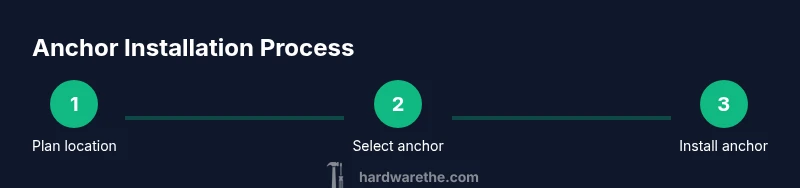
- 1
Plan location
Choose a spot at eye level and mark the center. Use a level to ensure horizontal alignment and measure mounting hole spacing per the bracket's documentation. Verify cable clearance and wall space for ventilation.
Tip: Double-check that no cables or pipes are behind the planned holes. - 2
Select anchors
Match anchor type to wall and load. For dry walls with no studs, choose heavy-duty anchors rated for the TV weight and bracket pattern.
Tip: Avoid under-rated anchors; err on the side of higher capacity. - 3
Drill pilot holes
Drill pilot holes at marked locations using the appropriate bit size for the anchors. Keep drill perpendicular to the wall to avoid angled insertion.
Tip: Keep a slow, steady drill speed to prevent damaging the drywall. - 4
Install anchors
Insert anchors into holes until flush with wall. If using toggle bolts, fold and insert, then tighten to deploy hardware behind drywall.
Tip: If an anchor feels loose, remove and reset with proper hole size. - 5
Attach the bracket
Screw the mounting bracket to the wall using the anchors. Check alignment before mounting the TV.
Tip: Use a helper to hold the bracket while you tighten screws. - 6
Mount the TV and test
Hang the TV on the bracket and secure any safety screws or locks per the instructions. Gently test by applying light pressure to ensure stability.
Tip: Test with gentle, progressive loads before full use.
FAQ
Do I need to anchor into studs for a TV mount?
If you can hit a stud, it provides the strongest support. When studs aren’t aligned with the mounting pattern, use rated anchors and follow the bracket’s guidance.
If you can hit a stud, go for it. If not, use rated anchors and follow the bracket's instructions.
What type of drywall anchors should I use for tv mount?
For heavier TVs, consider metal toggle bolts or molly bolts rated for the load. Pair with a bracket that matches the pattern. Always check the product’s rating and installation details.
For heavier setups, use metal toggle bolts rated for the load and matched to your bracket.
Can I mount a TV on hollow drywall without a stud?
Yes, with heavy-duty anchors designed for drywall-only installations and a bracket compatible with the wall pattern. Do not exceed the anchors' rated weight.
Yes, with appropriate drywall anchors and the right bracket. Don’t exceed the weight limits.
How high should I mount a TV?
Aim for center height at roughly eye level when seated. Adjust for TV size, viewing distance, and seating arrangement to minimize neck strain.
Mount so the screen is near eye level when you’re seated, adjusted for your room.
What safety checks should I perform after installation?
Tighten all screws, verify level, and test the mount with gradual loads. Keep cables organized to avoid accidental pulls.
Check level, test gradually, and keep cables tidy to prevent yanks.
Watch Video
Main Points
- Plan around wall type and weight
- Choose anchors with adequate rating for TV load
- Pre-drill correctly and keep bracket level
- Test load gradually and secure all fasteners
- Prioritize safety and proper cable routing