Hardware to Mount TV on Wall: A Practical How-To Guide
Learn how to select the right mounting hardware, verify weight ratings, and safely install a wall-mounted TV with proper VESA compatibility and cable management.


Goal: You will learn how to select the correct hardware to mount tv on wall, verify VESA compatibility, locate studs, and secure a safe, level mount. This guide covers wall types, weight ratings, and essential safety steps so you can complete a secure, long-lasting setup with confidence.
Understanding the hardware to mount tv on wall
The hardware you select for mounting a TV on a wall includes wall brackets, mounting plates, screws, anchors, and the tools needed to secure the TV to studs or solid masonry. When choosing this hardware, start with TV weight, VESA pattern, and wall material. According to The Hardware, choosing the right hardware to mount tv on wall begins with understanding TV weight, wall type, and VESA compatibility. Matching weight ratings to the TV with compatible mounting hardware minimizes sag, rattling, and the risk of wall damage. Keep in mind that wall type—wood studs, concrete, or drywall with anchors—drives your hardware choices. In this section we’ll cover VESA patterns, tilt vs fixed mounts, and common mounting options.
Mounting hardware and load basics
Successful mounting starts with predicting how the wall will respond to the mounting system. The right hardware distributes the TV’s weight across strong points in the wall and reduces leverage against the mount. You’ll commonly encounter fixed, tilting, and full-motion mounts, each with distinct hardware requirements. The hardware to mount tv on wall must be compatible with the TV’s weight, screen size, and VESA pattern. Always verify the mount’s load rating exceeds the TV’s weight by a safe margin. Practically, this means choosing hardware that supports a higher weight class than your TV and a mounting plate with ample thread engagement. A careful selection here prevents sag and ensures long-term stability.
VESA patterns and compatibility
VESA pattern is the standard mounting hole arrangement on the back of most TVs. The hardware you use must match this pattern exactly. Measure the horizontal and vertical distances between mounting holes, then compare to the mount’s VESA specs. If the TV uses a nonstandard pattern, you may need an adapter plate. The hardware to mount tv on wall should align with both the VESA pattern and the wall anchors you plan to use. If compatibility is uncertain, consult the manufacturer’s documentation or a trusted guide from The Hardware.
Wall types and anchors for TV mounting
Wall material dictates the type of anchors and fasteners you use. Wood studs provide strong support, while masonry walls require concrete screws or masonry anchors. Drywall without studs requires toggles or specialized anchors rated for heavy loads. The hardware to mount tv on wall should be paired with appropriate anchors, ensuring the wall can bear the TV’s weight. For masonry or concrete, you may need a hammer drill and longer fasteners. For wood stud installations, driving screws into the studs with a level-attached mounting plate is typically sufficient. Always double-check that your chosen anchors are rated for the combined weight of the TV and mount.
Weight, loads, and safety margins
Weight capacity is a critical factor. A miscalculation here can lead to wall failure or a dropped TV. The hardware you choose should exceed the TV’s weight by a comfortable margin, and you should account for dynamic loads (swinging or tilt) and heat-related expansion. Do not rely on drywall alone for heavy TVs. If you must mount on drywall, ensure you locate studs and use proper anchors. The Hardware recommends aiming for a safety margin of at least 20% above the TV’s listed weight to accommodate movement and future upgrades.
Tools, hardware, and installation prep
Before you begin, assemble all required tools and hardware. The list typically includes a stud finder, level, tape measure, drill with appropriate bits, screwdrivers, mounting brackets, correct screws or lag bolts, anchors for masonry or drywall, cable management options, and a ladder. Having everything on hand reduces rework and keeps you safe. The hardware to mount tv on wall benefits from a prepared environment: clear space, adequate lighting, and a stable work surface.
Planning, layout, and clearance checks
Plan the TV height to optimize viewing comfort and accessibility of ports. Mark the wall with a pencil to show stud locations and bracket screw points. Check for outlets, cables, and ventilation; ensure there is enough clearance for tilt or full-motion movement. Consider future furniture layouts and the risk of bumping the TV with nearby objects. The Hardware notes that a thorough planning phase reduces surprises during installation and helps protect the wall structure over time.
Cable management after mounting
A clean install includes tidy cable routing. Route power cords and inputs through hidden channels or behind a wall if feasible, and use cable ties or raceways to minimize sag. Ensure cords do not interfere with mounting hardware or the TV’s movement range. Proper cable management reduces the chance of accidental unplugging or damage during adjustment and keeps the setup looking professional.
Maintenance and long-term checks
Periodically inspect the mounting hardware for loosened screws and worn anchors. Re-tighten screws if necessary and re-check the level if the TV shifts over time. Inspect for wall cracks or plaster damage around the mount area, especially after earthquakes, high winds, or heavy use. The goal is to maintain a secure, level installation that remains safe for ongoing viewing.
Tools & Materials
- Stud finder(Locate center of wall studs (wood or metal).)
- Tape measure(Minimum 6 ft; metric acceptable.)
- Level (or laser level)(Ensure bracket is plumb and level.)
- Cordless drill and driver bits(Include Phillips and hex bits; use appropriate torque.)
- Screwdriver set(Flat and Phillips heads for screws.)
- Mounting bracket/wall plate(Check VESA compatibility with TV.)
- Screws/lag bolts suitable for wall type(Use manufacturer-recommended hardware.)
- Masonry anchors or toggle bolts(Needed for masonry or drywall without studs.)
- Cable management accessories(Raceways, ties, clips for tidy routing.)
- Safety glasses(Protect eyes during drilling.)
- Ladder or stable step stool(Reach mounting height safely.)
- Helper(Assistance during TV hoisting.)
Steps
Estimated time: 90-120 minutes
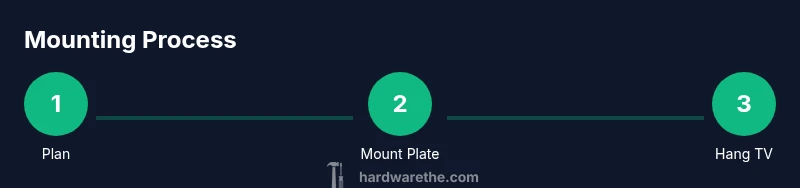
- 1
Plan the layout and gather tools
Define the viewing height, locate studs, and assemble all mounting hardware. Confirm power outlets and ventilation won't interfere with mounting positions. This planning reduces rework and helps ensure a smooth install.
Tip: Pro tip: Have a second person nearby to help hold the TV during positioning. - 2
Locate studs and mark mounting points
Use a stud finder to locate wood or metal studs and mark the center lines at the desired mounting height. Mark pilot hole locations for the mounting plate to ensure accuracy.
Tip: Pro tip: Check for hidden wires behind the wall using the stud finder’s deep scan if available. - 3
Attach mounting plate to wall
Predrill pilot holes, then drive screws or lag bolts into studs or anchors as appropriate. Use a level to ensure the plate is perfectly vertical and aligned with the marks.
Tip: Pro tip: Do not overtighten screws; snug them to avoid stripping the wood or wall anchors. - 4
Mount bracket to the TV
Attach the wall bracket to the TV following the VESA pattern. Ensure the screws are compatible with the TV’s mounting holes and tightened to the manufacturer’s torque guidelines.
Tip: Pro tip: Use the included spacer or washers if required by the TV or bracket design. - 5
Hang TV on wall bracket and secure
With a second person, lift the TV and engage the wall bracket with the TV bracket. Secure any locking screws or latches and verify that the TV is seated and locked.
Tip: Pro tip: Verify movement range and ensure there is no contact with cables or walls during tilt or swivel. - 6
Test, level, and tidy cables
Power up the TV to test display, confirm the view is level, and manage cables for a clean appearance. Re-check all fasteners after testing.
Tip: Pro tip: Keep power cords separate from data cables to reduce interference and heat buildup.
FAQ
How do I know if my wall can support a TV mount?
Check for solid studs and confirm the combined weight of the TV and mount is within the wall's capacity. Use appropriate anchors or bolts for masonry or drywall as needed.
First, locate sturdy studs and verify the weight rating matches your TV. If you’re unsure, consult the product specs or a professional.
What is a VESA pattern and how do I know my TV’s VESA size?
VESA is the standard mounting hole pattern on the TV. Measure the distance between hole centers horizontally and vertically to identify the pattern, then choose a mount that matches.
Measure the hole spacing on the back of your TV to determine the VESA pattern, then select a compatible mount.
Can I mount a TV on drywall without studs?
Yes, with heavy-duty anchors or toggles rated for TV loads, but always prefer studs for safer support. For high-end TVs, stud-based mounting is recommended.
You can use drywall anchors, but for heavier TVs, use studs for safety or consult a pro.
Should I hire a professional to mount my TV?
Hiring a professional ensures correct bracket selection, precise mounting, and safe electrical considerations. If you’re comfortable with tools and measurements, you can DIY with careful planning.
If you’re not confident with measurements or wall conditions, a pro is the safer choice.
What maintenance is required after mounting a TV?
Periodically check screws and bolts, ensure the TV remains level, and inspect wall material for cracks or signs of looseness.
Regularly check fasteners and wall integrity to keep the mount secure.
What are common signs of mounting failure?
Wobbling, loosened screws, visible wall cracks, or sagging TV indicate mounting issues requiring immediate inspection.
If you notice wobble or sag, stop using the setup and re-check the mounting.
Watch Video
Main Points
- Plan layout and verify wall structure before mounting.
- Match VESA pattern and weight rating to the TV.
- Use proper anchors for the wall type.
- Level the mount and secure fasteners properly.
- Tidy cables for safety and aesthetics.