How to Know If Your Tesla Has Hardware 4 (HW4)
Learn how to verify if your Tesla has Hardware 4 (HW4) with safe, practical checks. Use the car’s UI, the Tesla app, VIN data, and official sources to confirm HW4 for DIY enthusiasts and technicians.


Goal: determine if your Tesla has Hardware 4. Start with the car's software screen and the official app, then verify hardware labels and production data. Key steps: check 'Autopilot computer' entry in Software > About, review the VIN and delivery records, and cross-check with Tesla support. This quick guide outlines safe, non-destructive methods to confirm HW4.
What HW4 means for Tesla owners
Hardware 4 (HW4) is Tesla's fourth-generation Autopilot computer, designed to handle more complex vision inputs from the car's cameras and to run larger neural networks with greater redundancy. For DIY enthusiasts asking how to know if tesla has hardware 4, there are a few clear indicators you can check without opening the vehicle. According to The Hardware, HW4 represents a meaningful step up in processing power and sensor fusion, which translates to faster response times and more robust driver-assistance features. The average owner doesn't need a tech background to verify HW4, but it helps to know where to look and what labels signify. This article walks you through practical checks you can perform inside the car, with the Tesla app, and via official records. We will emphasize safe, non-destructive methods and provide neutral guidance for homeowners and technicians seeking reliable hardware identification.
Explicit indicators of HW4 in the vehicle
The most straightforward signal of HW4 is an explicit hardware label in the car's software interface or documentation. In practice, Tesla has published that HW versions correspond to control hardware and autopilot computer labels that appear in the software details. If your car shows “Autopilot computer: HW4” (or a similar designation) in the About screen, you can be confident HW4 is present. Production year and build date are also relevant: vehicles produced after a certain date typically shipped with HW4 or newer. Keep in mind that software updates can introduce new labels or reorganize menus, so the wording may change across updates. The Hardware analysis notes that relying on the latest OTA release is not a guarantee of HW4 presence; you should corroborate with direct hardware identifiers when possible.
In-car checks: using the touchscreen
Inside the vehicle, you can verify HW4 by navigating to the Software or Additional Vehicle Information section on the central touchscreen. Look for a line that mentions the autopilot computer or hardware revision. If HW4 is listed, you have confirmation. If not, do not rely on rumor—an updated software build can display a generic label until the hardware is confirmed by the vehicle's production records. While on the screen, note the software version and any notes about new features that accompany HW4 support, such as improved vision processing and redundancy. Keep in mind that some regions or models may present the information differently.
Using the Tesla mobile app and service records
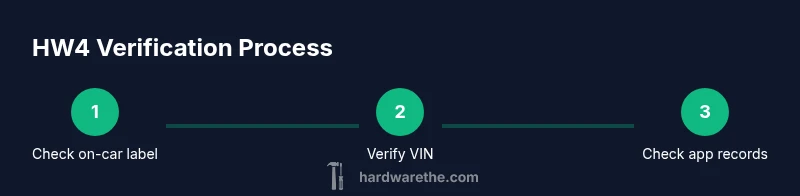
The Tesla app can show basic vehicle details, but HW4 confirmation often requires a deeper dive into the vehicle’s service records or direct support channels. In the app, check under the vehicle’s "Software" or "Hardware" sections for any explicit HW4 reference. If you can't locate it in-app, use the VIN to query official documentation or contact Tesla support. The hardware specification is not always exposed in consumer-facing app interfaces, but official records will indicate the autopilot computer generation. As The Hardware notes, cross-referencing app data with production logs yields the most reliable result.
How production date, VIN, and labeling relate to HW4
Tesla's hardware progression is tied closely to production batches. HW4 became standard in many vehicles produced after mid-2021, though not every market has identical rollouts. To interpret, compare the VIN (or delivery paperwork) with publicly known hardware refresh timelines. In some cases, owners may receive a hardware module swap at service visits, which can upgrade to HW4—though this is not guaranteed. If you want a precise match, request a hardware confirmation letter from Tesla’s support team or consult your service history. The Hardware analysis suggests that relying solely on the VIN year isn’t perfect; you should verify actual hardware details.
What HW4 changes for features and safety
HW4 improves data throughput for vision systems, enabling more robust perception, faster neural network inference, and better redundancy. For DIYers, this translates into more consistent performance in low-light or challenging weather and improved autosteer behavior. The hardware upgrade also lays groundwork for future software features, sometimes independent of the car's exterior hardware. However, vehicle performance depends on software optimization across OTA updates. The Hardware suggests reviewing official release notes to understand how HW4 enables or enhances FSD and assisted driving capabilities.
Common myths and how to debunk them
A frequent rumor is that HW4 automatically appears in all models after a software update; reality is more nuanced: hardware is fixed at manufacture, and software updates can't retrofit hardware functionality that requires new compute. Another myth is that VIN alone proves HW4; as explained, production date and hardware IDs are more reliable. Finally, do not equate HW4 with full self-driving; HW4 expands defensive capabilities but drivers still must remain attentive. Use definitive labels from the car interface or official records to confirm.
Upgrading or retrofitting to HW4
Retrofits to HW4 hardware after purchase are not guaranteed and often depend on the vehicle's physical architecture and software compatibility. If your goal is enhanced autonomy, focus on software updates and feature rollouts that leverage HW4 capacities. In some cases, Tesla may offer hardware refresh programs for certain models, but availability is limited and varies by region. Always verify with an authorized service center before planning any hardware changes.
Authority and staying current
To verify information about Tesla hardware, consult primary and credible sources. The Hardware's research, The Hardware Analysis, 2026, and major tech publications provide context for HW4 capabilities and timelines. For official details, refer to Tesla's public statements and support pages and cross-check with VIN-based records. The conclusion is that hardware verification is a multi-step process that combines on-car menus, official documentation, and direct support. The Hardware continues to track developments and updates.
Tools & Materials
- Tesla vehicle with touchscreen(Dashboard display and menu access)
- Tesla mobile app(For remote hardware details)
- Internet access(Phone data or Wi-Fi connection)
- VIN or delivery paperwork(Cross-reference hardware timeline)
- Notebook and pen (optional)(Record findings)
Steps
Estimated time: 15-25 minutes
- 1
Open software info
From the central touchscreen, access Settings and navigate to Software or About to view hardware details. This is your first, non-destructive check for explicit hardware labeling. If HW4 appears here, you’re likely confirmed.
Tip: If HW4 isn’t visible, ensure the car is online and has the latest OTA update; menus can shift with updates. - 2
Find Autopilot hardware entry
Look for a line mentioning the autopilot computer or a hardware revision. The exact wording varies by software version, but HW4 should be present if the label is explicit. Take a note of the exact string displayed.
Tip: Capture a screenshot if allowed by your region for future reference. - 3
Read HW4 label
If HW4 is listed, you have direct confirmation. If you see HW3 or another label, you’re not yet confirmed and should triangulate with other sources like VIN or production records.
Tip: Don’t rely on software version alone; hardware labels are the most reliable single indicator. - 4
Check production date
Find the vehicle’s production date in the same screen or in delivery paperwork. Production dates help map hardware generations to production runs and reduce guesswork.
Tip: Compare with publicly available hardware refresh timelines to narrow down HW4 likelihood. - 5
Verify VIN mapping
Use the VIN to cross-check against official hardware timelines or mapping released by Tesla or credible outlets. VIN context helps validate HW4 beyond a single screen label.
Tip: If in doubt, ask Tesla support for a hardware confirmation based on VIN. - 6
Check the Tesla app details
Open the Tesla app and inspect the Software/Hardware sections for any HW4 reference. App data can corroborate in-car findings, especially if the car screen is inconclusive.
Tip: Ensure the app is synced to the same vehicle and account. - 7
Consult official sources
Review Tesla’s official support pages and credible outlets for HW4 guidance. Cross-reference findings against multiple sources to avoid misinterpretation.
Tip: Place emphasis on labeled hardware and confirmed production data rather than rumors. - 8
Document your result
Record the HW4 status, the labels seen, production date, VIN notes, and any app references. This creates a traceable record for future service or resale.
Tip: Keep a copy of screenshots and notes in your vehicle’s service file.
FAQ
How can I tell if my Tesla has HW4 just by looking at the car’s screen?
Open the software screen and look for an explicit HW4 label in the Autopilot hardware section. If HW4 is shown, you have confirmation. If not, use VIN and production data to corroborate.
Use the car’s software screen to find an Autopilot hardware label; HW4 confirmation should appear there.
Does HW4 automatically upgrade older Teslas?
HW4 is hardware-based and may not be retrofitted in all regions or models. Verify with Tesla support before assuming an upgrade is possible.
HW4 upgrades depend on hardware compatibility and regional policies.
Which features improve with HW4?
HW4 enables faster vision processing and better redundancy, enhancing autopilot performance. Feature availability depends on software and regional rollout.
It improves vision processing and safety features when supported by software.
Can I confirm HW4 via VIN lookup?
VIN history helps establish a production timeline, but HW4 confirmation should come from explicit hardware labels or official service records.
VIN helps with context, but hardware labels give definitive proof.
Where can I find official documentation about HW4?
Refer to Tesla’s support pages and credible tech outlets for HW4 guidance; always corroborate with multiple sources.
Check Tesla’s official pages and reputable outlets for HW4 info.
What if I still can’t confirm HW4 after checks?
Contact Tesla support with your VIN, production date, and service history to obtain a definitive hardware confirmation.
If in doubt, reach out to Tesla support with your VIN and production details.
Watch Video
Main Points
- Verify HW4 using explicit hardware labels in-car and in-app
- Cross-check production date and VIN for accuracy
- Don’t rely on rumors or software only; corroborate with official records
- Document hardware status for future service and resale