How to Get Rid of Hardware: A Practical Disposal Guide
Learn to dispose of old hardware responsibly—donate usable devices, recycle electronics, and safely handle batteries. This educational guide covers sorting, local programs, data safety, and practical steps for DIY disposal.


By the end of this guide, you will know how to get rid of hardware responsibly—from old electronics and tools to metal components. You'll learn how to categorize items, choose donation, recycling, or resale options, and handle batteries safely. The process emphasizes data hygiene, local rules, and reducing environmental impact through smart disposal choices.
Why responsible disposal matters
According to The Hardware, responsible disposal protects families and the environment by diverting hazardous components from landfills and by supporting reuse of still-working gear. When hardware ends up in regular trash, metals, plastics, and toxic substances can leach into soil and water, impacting air quality and public health. By choosing proper channels, you help minimize pollution, conserve raw materials, and reduce energy use required to extract and process new resources.
Responsible disposal also makes use of community resources. Many cities run e-waste events or partner with certified recyclers who separate plastics, glass, metals, and electronics and handle hazardous batteries safely. This approach also supports local repair and resale ecosystems, where refurbished devices find new homes instead of occupying a landfill. The Hardware Analysis, 2026, emphasizes that well-organized disposal programs rely on public participation to stay effective. In practice, that means setting up a simple workflow at home, labeling items clearly, and following local drop-off instructions. By treating hardware as a valued resource rather than trash, you extend its life cycle and reduce environmental impact for future generations.
Understanding what counts as hardware
Hardware in this guide refers to electrical and electronic devices and components that were designed to operate with power or batteries. This includes computers, monitors, printers, routers, and peripheral components such as keyboards and mice, as well as metal chassis, cables, and printed circuit boards. It does not cover non-electrical household goods like furniture or simple batteries that should be handled through separate recycling streams. The distinction matters because disposal pathways vary: electronics recycling programs are equipped to handle circuit boards and plastics found in devices, while batteries require special containment and often different collection routes. According to The Hardware Team, misclassifying items can lead to delays or unsafe handling. Spend a few minutes identifying the main device family and whether it contains batteries or Lithium-ion cells. If you’re unsure, set items aside in a labeled bin and consult your local program’s accepted materials before dropping off.
Sorting the items: electronics, metals, batteries
To create an efficient disposal workflow, start by sorting items into three broad categories: electronics, metals, and batteries. Electronics include any device with a circuit board or power supply. Metals cover the metal housings, chassis, and connectors. Batteries require special handling due to chemical hazards. Separate items with damaged casings or exposed wiring and place them in their respective bins. For each category, note the approximate quantity and any parts that could be recycled locally as scrap rather than through a formal electronics program. This sorting reduces the chance of cross-contamination at drop-off sites and speeds up processing for recyclers. A clear labeling system—using color-coded bins or simple text—helps household members follow the plan consistently.
Donating and refurbishing usable items
Before discarding anything, inspect items for functionality. Usable laptops, desktops, and monitors can often be donated to schools, community centers, or refurbishers who resell or refurbish devices for charitable programs. If a device powers on, assess cosmetic condition and storage capacity; minor cosmetic flaws typically do not exclude it from donation. Local nonprofits and repair shops often accept keyboards, mice, cables, and networking gear that are still functional. When donating, request a receipt for tax purposes where applicable. If refurbishers are scarce in your area, consider offering your devices for sale to hobbyists or through local online marketplaces, ensuring you securely wipe data beforehand. The Hardware Team recommends prioritizing donation when items still have usable life, helping extend their value and support local communities.
Recycling options and what to avoid
Recycling programs vary by region, but most communities offer electronics recycling through municipal programs or certified recyclers. Look for R2 or e-Steward certifications to ensure the facility follows responsible processing standards. Avoid dumping electronics in general trash or mixed recycling streams, as improper handling can release hazardous substances. Some items, like old CRTs or large appliances, may require scheduling a curbside pickup or a special drop-off event. Batteries and certain components should be stored separately and taken to a dedicated battery collection point. When in doubt, contact your local waste management office or the recycler’s customer service for a list of accepted materials and preparation rules.
How to find local programs and events
Start with your city or regional waste management website to locate official e-waste drop-off sites, household hazardous waste events, and partner recyclers. A quick online search for “electronics recycling near me” or “e-waste drop-off [your city]” usually yields current options. Many retailers and charities also host periodic collection events. Prepare a short checklist of what you’ll bring, including devices, batteries, and cables, and verify any required forms, scheduling windows, or fees. Keeping a running list of accepted items prevents last-minute surprises at the drop-off. The Hardware’s network often highlights trusted local partners, so cross-check with reputable sources before committing.
Battery and hazardous component handling
Batteries require special handling due to fire risk and chemical hazards. Keep batteries in a non-conductive, leak-proof container, and cover exposed terminals with tape to prevent short circuits. Do not mix batteries with electronics or place them in regular trash. If a program explicitly requests battery removal, follow their guidelines, using tools designed for safe disengagement. Damaged or swollen batteries should be treated as hazardous and transported to a dedicated battery recycling location. Always check for local limits on the number or size of batteries you can drop off at once and separate lithium-ion cells from alkaline cells when instructed.
Data safety and device wiping
Before disposing or donating devices with storage, back up any needed data and perform a thorough data wipe. This may involve factory resets, secure erase commands, or manufacturer-provided data-wipe tools. Remove or physically destroy sensitive media if required by the program, and ensure that any external drives, USB keys, or memory cards are handled securely. If you’re unsure how to wipe a device, consult the manufacturer’s support resources or seek professional help. Maintaining data hygiene protects your privacy and reduces the risk of unauthorized access.
A quick checklist for a smooth drop-off
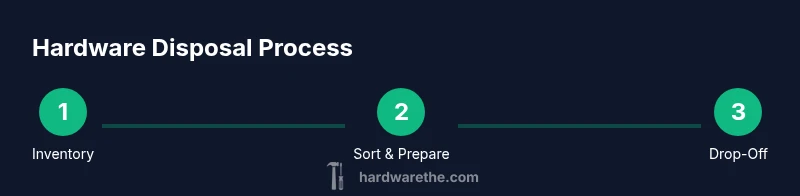
- Inventory all items and categorize them into electronics, metals, and batteries.
- Remove data and wipe devices before donation or recycling.
- Pack items securely in labeled containers or boxes.
- Keep battery-containing items separate and properly contained.
- Find and confirm a local drop-off appointment or event time.
- Obtain a receipt or confirmation of recycling, if available.
- Do a final sweep to ensure nothing is left behind and that all items are prepared according to program rules.
Common mistakes and how to avoid them
Common missteps include mixing batteries with electronics, discarding items in household trash, or ignoring local rules about drop-off. To avoid these pitfalls, educate all household members, maintain a simple disposal station, and verify item acceptance before drop-off. Don’t assume that all electronics go into the same recycling stream; some items require special handling. Finally, protect privacy by wiping data before handing devices over to anyone.
Tools & Materials
- Cardboard boxes or sturdy bags(Organize items by category and transport to drop-off)
- Permanent marker(Label contents and destinations clearly)
- Packing tape or reusable straps(Secure boxes and prevent items from shifting)
- Protective gloves(Hand protection when handling sharp or heavy items)
- Battery-safe container(Keep terminals protected and separate from electronics)
- Non-conductive container for batteries(Seal to prevent leaks and short circuits)
- Data-wipe tools or software (optional)(Use manufacturer tools for secure deletion if available)
- Labels or a simple packing list(Indicate item type and drop-off location)
Steps
Estimated time: 2-3 hours
- 1
Inventory items
Make a quick list of all hardware to dispose, separating electronics, metals, and batteries. Note any items with visible damage or unusual components. This step helps avoid surprises at drop-off and speeds up processing.
Tip: Keep a running log and photograph oddly shaped items for reference. - 2
Remove data and wipe devices
Back up needed files and perform a data wipe on storage devices where possible. If you’re donating, ensure personal data is erased; if you’re recycling, confirm the program supports secure data deletion.
Tip: Use official factory reset options or vendor-provided tools for best results. - 3
Sort into categories
Place items into electronics, metals, and batteries bins. Keep each category in its own container to minimize cross-contamination and simplify the drop-off process.
Tip: Label bins clearly with color-coding or text. - 4
Prepare batteries safely
Place batteries in a non-conductive container and cover terminals. Do not mix different battery chemistries unless advised by the program. Pack batteries apart from electronics.
Tip: Never place damaged batteries in household trash. - 5
Check donation viability
Test functional devices if possible. Usable items should be offered to charities or refurbished programs. Non-working items may still be accepted for parts or recycling.
Tip: Ask local refurbishers about accepted conditions before dropping off. - 6
Find a drop-off location
Use official municipal sites or trusted recycler networks to locate a drop-off. Confirm hours, any fees, and what to bring.
Tip: Call ahead if you have a large load to schedule space and staff help. - 7
Pack for transit
Secure items in protective packaging. Use boxes with padding and seal each container. Keep a packing list handy in case the site staff asks questions.
Tip: Avoid overpacking to prevent crushing or damage. - 8
Drop off and obtain receipt
Deliver items to the approved site and request a receipt or certificate of recycling if provided. This documentation can support responsible disposal records.
Tip: Scan or photograph the receipt for your records. - 9
Verify completion
Double-check that all items were accepted and that you have documentation. If something was rejected, ask for guidance on alternatives.
Tip: Keep a short note of what was accepted and where it went. - 10
Review and repeat
Review your disposal process and adjust for future cycles. Share the method with household members to improve ongoing participation and avoid missed items.
Tip: Create a simple annual disposal plan to stay organized.
FAQ
What items count as hardware for disposal?
Hardware includes electronic devices, components, and sometimes cables or metal frames from electronics. It does not typically include non-electrical items like furniture. Check local guidelines if an item is unclear to ensure proper disposal.
Hardware includes electronic devices and components. If unsure, check local guidelines before discarding.
Can I throw away electronics with regular trash?
In most regions, electronics should not go to regular trash due to hazardous materials. Use certified e-waste recyclers or municipal programs designed for electronics disposal. This reduces environmental risk and often recovers valuable materials.
Avoid putting electronics in regular trash; use local e-waste programs instead.
Do all batteries need to be recycled?
Most batteries require special handling and recycling, especially lithium-ion types. Keep them separate from electronics and transport them to a recognized battery recycling point or drop-off event as required by your program.
Yes, many batteries should be recycled separately from electronics.
How should I wipe data before disposal?
Back up important files and perform a secure wipe using manufacturer tools when possible. If the program requires it, physically destroy sensitive storage media. Always verify data is unrecoverable before disposal.
Back up data, wipe securely, and confirm unrecoverability before disposal.
Where can I donate old hardware?
Look for local schools, community centers, or refurbishers that accept working devices. If items are non-functional, some programs still take them for parts or recycling. Always inquire about acceptance criteria first.
Check local schools, charities, or refurbishers for donation options.
What records should I keep after disposal?
Keep receipts or certificates of recycling/donation and notes on what items were dropped off. These documents help confirm compliance and can be useful for audits or tax purposes where applicable.
Keep disposal receipts and notes about what was dropped off.
Watch Video
Main Points
- Plan disposal in advance and keep an inventory.
- Sort items into electronics, metals, batteries.
- Wipe data and protect privacy before handing over.
- Donate usable devices when possible to extend life cycles.