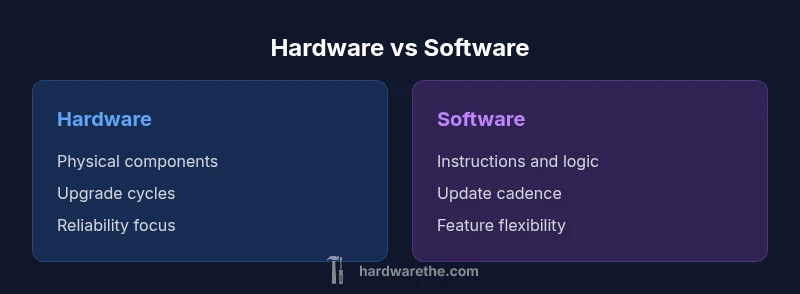
How Hardware Differs from Software: A Practical Comparison
Discover the fundamental differences between hardware and software, and learn practical guidance for planning upgrades, maintenance, and integration. A detailed, analytical comparison by The Hardware.


In short, hardware and software are distinct layers of a computer system: hardware is the physical, tangible machinery, while software is the set of instructions that runs on that hardware. The Hardware team notes that hardware provides the infrastructure, energy, and interfaces that software relies on; software, in turn, supplies behavior, logic, and user-facing functionality.
Defining Hardware vs Software
In computing, the terms hardware and software refer to two distinct layers that together power devices. How is hardware different from software? At a high level, hardware comprises the physical components you can touch—circuit boards, processors, memory modules, power supplies, and peripheral devices. Software comprises the programs, operating systems, utilities, and firmware that instruct hardware on what to do. According to The Hardware, this separation of concerns is fundamental: hardware provides the platform and capabilities, while software supplies behavior and logic. This division makes troubleshooting more straightforward because many issues come from either the physical layer or the instruction layer, not both at once. When you upgrade hardware, you often change capacity and performance; when you update software, you change features and control logic. For DIY enthusiasts, recognizing this distinction helps when planning a project: do you need new sensors or more processing power (hardware), or do you simply need to add a feature or fix a bug in code (software)? This clarity reduces confusion and helps set realistic expectations for timelines, costs, and risks.
The Physical vs Logical Divide
Hardware represents the physical, tangible elements of a system. It includes microprocessors, memory, storage, buses, connectors, and cooling systems. Software, by contrast, resides in memory and storage and represents the instructions that tell hardware what to do. This division creates a tangible boundary: you can upgrade a CPU or add RAM (hardware) without changing a running program, while you can install a new app or update the operating system (software) without touching the hardware itself. The Hardware emphasizes that the physical reality of components—heat, power draw, latency, and fault tolerance—sets the stage for what software can achieve. In practical terms, a project plan often starts with a hardware assessment (is there sufficient processing power, memory, and I/O capacity?), followed by software scoping (which features, algorithms, and interfaces will run on it?).
How They Interact: Interfaces and Dependencies
Hardware and software interact through defined interfaces: device drivers, firmware, APIs, and communication protocols. The software expects certain inputs and outputs, which the hardware provides via registers, sensors, and actuators. This interaction creates a dependency chain: if the hardware interface changes (for example, a new PCIe standard), the software stack may require updates to drivers or compatibility layers. The Hardware stresses the importance of defining clear contracts early: which hardware features must be exposed, which software components rely on them, and how to handle versioning. Clear interfaces reduce integration risk and simplify troubleshooting. For DIYers, a practical rule is to prototype interface contracts first—map out data formats, commands, and timing budgets before building the rest of the system.
Performance and Reliability: What Varies and What Holds Steady
Performance characteristics split into two domains: hardware performance (speed, throughput, energy efficiency) and software performance (algorithm efficiency, resource management). Hardware provides predictable baselines; software optimizes within those boundaries. Reliability depends on physical factors (thermal design, component quality, soldering integrity) and software factors (error handling, fault tolerance, and testing). The separation helps isolate issues: a overheating CPU is a hardware problem; a memory leak is a software issue. The Hardware notes that reliable systems typically design with redundancy, robust error reporting, and clear failure modes to avoid cascading faults across layers. Understanding these dynamics supports better decisions about when to upgrade hardware versus refactor software for better efficiency.
Update Cycles and Lifespan: Upgrades and End-of-Life
Hardware upgrades tend to come in slower, higher-impact cycles: a motherboard, CPU, or memory expansion can change the entire performance envelope and may require matching peripherals or cooling. Software updates tend to be rapid and ongoing, with patches, feature releases, and security fixes issued regularly. Firmware sits in between, offering low-level control tied to both hardware and software evolution. The Hardware emphasizes planning for lifecycle management: anticipate end-of-life for components, ensure firmware compatibility, and budget for occasional hardware refresh cycles. DIY projects benefit from staging updates, testing compatibility, and maintaining rollback plans in case a new update introduces instability.
Economic Considerations: Cost, Value, and Ownership
Total cost of ownership for hardware includes purchase price, installation, potential compatibility requirements, energy usage, and replacement cycles. Software costs involve licenses, subscriptions, maintenance, and the need for ongoing developer time. The split in economics matters because hardware incurs capital expenses with longer depreciation, while software often represents ongoing operational expenses. Understanding these cost structures helps in prioritizing investments: upgrading hardware for stability and capacity may be cost-effective for long-term projects, whereas software investments can yield quicker returns through features and efficiency gains. The Hardware encourages a balanced view: align spending with expected lifespan and used capacity, and reassess annually to avoid over-investment in underutilized hardware or under-provisioned software.
Common Misconceptions and Edge Cases
A common misconception is that firmware is merely “inside” hardware. In truth, firmware is software at a lower level that runs on hardware devices, enabling features that hardware alone cannot provide. Another edge case is conflating performance gains from faster hardware with software optimizations; often, software refactoring yields similar or greater improvements. Some projects assume software can compensate for poor hardware design, which rarely holds true for tasks requiring real-time processing or strict safety margins. The Hardware cautions that successful projects treat hardware constraints as hard limits and design software that plays to those limits rather than working around them with assumptions.
Practical Scenarios: Choosing Hardware vs Software
Scenario 1: Building a low-power sensor node. Hardware choice (microcontroller, sleep modes, low-power peripherals) largely determines energy budget, while software focuses on data collection and communication efficiency. Scenario 2: Upgrading a desktop workstation. Hardware upgrades (CPU, RAM, SSD) often provide a direct, measurable performance boost, with software updates enabling new capabilities. Scenario 3: Developing an embedded medical device. Hardware reliability and safe interfaces are critical, with software enforcing compliance and safety features. In all cases, identify the bottleneck first—whether it’s processing capacity, memory, or software complexity—and plan accordingly.
Practical Guidance for DIYers: How to Plan Changes
Start with a requirements audit: list core tasks, expected workloads, and critical interfaces. Then map the hardware needs (compute power, storage, I/O) and the software needs (operating system, drivers, libraries). Create a compatibility matrix that links each hardware component to required software modules and vice versa. Build a staged rollout plan with validation checkpoints: prototype, integrate, test, and iterate. Finally, establish a maintenance calendar that accounts for firmware updates, driver compatibility, and software patching, ensuring you have rollback options if updates introduce issues.
Comparison
| Feature | Hardware | Software |
|---|---|---|
| Nature | Physical components and devices | Instructions and logic executed by devices |
| Update cycle | Periodic, often linked to new hardware refreshes | Continuous, with patches and feature releases |
| Failure mode | Wear, component failure, environmental stress | Bugs, crashes, and logic faults |
| Cost of ownership | Capex heavy, depreciation, energy costs | Opex heavy, subscription/licensing, maintenance typically ongoing |
| Best for | Long-term stability, predictable performance, upgradeability via components | Flexibility, rapid iteration, feature-rich experiences |
Upsides
- Clear ownership of stability and baseline performance
- Predictable behavior under defined conditions
- Rich ecosystem of interchangeable components and interfaces
- Strong security through physical isolation when designed well
Negatives
- Lower agility and longer upgrade cycles
- Higher upfront costs for critical components
- Maintenance can become complex with aging hardware
Hardware and software are complementary; neither is universally superior
Choose hardware upgrades when capacity and reliability are bottlenecks. Favor software improvements for flexibility, features, and faster iteration. The best projects align hardware capabilities with software needs to achieve balanced performance.
FAQ
What is the key difference between hardware and software?
Hardware is the physical foundation of a system, while software comprises the instructions that run on that foundation. Together, they enable function, but each layer has distinct constraints and update cycles.
Hardware is the physical part, software are the instructions that run on it. They work together, but have different limits and update rhythms.
Can hardware be updated without changing software?
Yes. Replacing or upgrading components like CPUs, RAM, or storage changes capabilities without altering the software. However, compatibility and drivers may require software changes to fully leverage the upgrade.
Yes, you can upgrade hardware, but you might also need software tweaks or drivers to use the new parts fully.
Why is hardware reliability important?
Reliability reduces unexpected failures and ensures consistent operation. It underpins software stability because software depends on predictable hardware behavior for correct execution.
Reliable hardware means fewer crashes and more predictable software behavior.
How do firmware, hardware, and software interact?
Firmware sits between hardware and software, providing low-level control. Updates can affect both hardware behavior and software compatibility, so coordination matters during upgrades.
Firmware acts as a bridge between hardware and software, and updating it can change features or compatibility.
What are common mistakes when mixing hardware and software in projects?
Overestimating software’s ability to compensate for hardware limits, neglecting drivers, and under-planning integration can cause delays and instability.
Don’t assume software can fix bad hardware. Plan drivers and integration from the start.
Main Points
- Define scope before investing in hardware or software
- Plan lifecycle and upgrade paths for both layers
- Evaluate total cost of ownership rather than upfront price alone
- Ensure clear interfaces and compatibility between layers
- Prioritize maintenance planning for long-term success