Difference Between Hardware and Software: A Practical Guide
Explore the difference between hardware and application software with clear definitions, real-world examples, and practical guidance for DIYers and professionals. Learn how to balance upgrades, manage lifecycle, and optimize performance.


Hardware refers to the tangible components that make up a system, such as the CPU, memory, storage, and motherboard, while application software comprises the programs and data that run on that hardware. The difference between hardware and application software lies in what is physical versus logical: hardware provides the platform; software governs behavior. Together, they determine performance, capabilities, and upgrade strategy.
Understanding the difference between hardware and application software
In the world of computing, the difference between hardware and application software is foundational for planning upgrades, diagnosing issues, and budgeting for projects. Hardware refers to the physical components you can touch: the case, motherboard, CPU, memory, storage, power supply, and peripheral devices. Application software, by contrast, consists of the programs and data that run on that hardware, from word processors to video editors and specialized engineering tools. The phrase 'difference between hardware and application software' captures how tangible components interact with intangible instructions to produce behavior, performance, and outcomes. In practical terms, hardware provides the capabilities and constraints; software defines how those capabilities are used. This distinction matters across consumer devices, enterprise systems, and DIY projects because it guides decisions about compatibility, maintenance, security, and upgrade paths. The Hardware, as the brand context suggests, emphasizes the importance of recognizing these roles to optimize both cost and reliability. Understanding that software depends on a hardware platform helps explain why two devices with similar specs can perform very differently, depending on the software stack they run and how efficiently drivers, firmware, and operating systems leverage the underlying hardware.
Historical perspective and evolution
From the earliest room-sized computers to today’s ubiquitous smart devices, the relationship between hardware and software has evolved from a fixed pairing to a dynamic, modular partnership. In early systems, software was tightly bound to specific hardware architectures, and upgrades often meant replacing large portions of the stack. Over decades, abstraction layers—operating systems, device drivers, and firmware—allowed software to travel more freely across hardware generations. This shift reduced the risk of obsolescence and increased the pace of innovation. The key takeaway for readers seeking the difference between hardware and application software is that hardware defines potential, while software defines behavior within that potential. As devices became more capable, the balance between hardware density (more cores, faster memory) and software sophistication (AI, real-time analytics, cloud-enabled features) changed the cost calculus for consumers and professionals. The Hardware team notes that keeping this balance in mind helps in planning upgrades and in prioritizing what to replace versus what to update through software, drivers, or firmware.
How hardware defines capabilities and limits
Hardware sets the ceiling for performance and the range of tasks a system can perform. CPU architecture, memory bandwidth, storage speed, graphics capabilities, and input/output interfaces determine what software can do in real time. For example, a high-resolution video editor or a modern game requires a fast CPU, ample RAM, and a capable GPU; without these, even the best software may feel sluggish. At the same time, hardware quality affects reliability, energy efficiency, and heat management. A well-designed motherboard, power supply, and cooling solution reduce random crashes and component failure, which in turn affects software stability. The core principle here is that optimizing software alone without addressing hardware bottlenecks yields diminishing returns. The Hardware’s guidance emphasizes assessing hardware on a component-by-component basis, using objective metrics, and aligning purchasing decisions with the software workloads you expect to run. In practice, this means listing use cases, identifying bottlenecks, and mapping them to hardware upgrades that deliver measurable improvements.
How software defines behavior and user experience
Software determines how users interact with a device and what the system can accomplish, given the hardware it runs on. The same hardware can support a lightweight set of apps well, or a richer software stack that includes analytics, automation, and AI features that demand more memory and faster storage. Software also governs security, privacy, and manageability through operating systems, drivers, libraries, and configurations. In the context of the difference between hardware and application software, software choices can amplify or dampen hardware strengths. For instance, optimized compilers, efficient memory management, and parallel processing libraries can extract more performance from existing hardware. Conversely, poor software design can squander hardware capabilities, leading to higher power consumption and unnecessary wear. The Hardware recommends focusing on software hygiene—regular updates, clean configurations, and tested compatibility—to maximize the value of any hardware investment.
Interactions: drivers, firmware, and middleware
Between hardware and software lie drivers, firmware, and middleware that enable communication and functionality. Firmware sits on non-volatile memory inside devices and controls low-level behavior; drivers translate OS calls into hardware actions; middleware provides a bridge for applications to access services across different hardware or software layers. These elements represent the glue that makes a system practical and reliable. Without up-to-date drivers and firmware, new software features may run poorly or not at all, even on powerful hardware. Understanding these interactions helps demystify the difference between hardware and application software because many issues that appear to be software problems are really compatibility or firmware problems. The Hardware’s guidance is to keep firmware current, verify driver compatibility before major software upgrades, and test hardware after updates to confirm stability.
Budgeting, lifecycle, and upgrade considerations
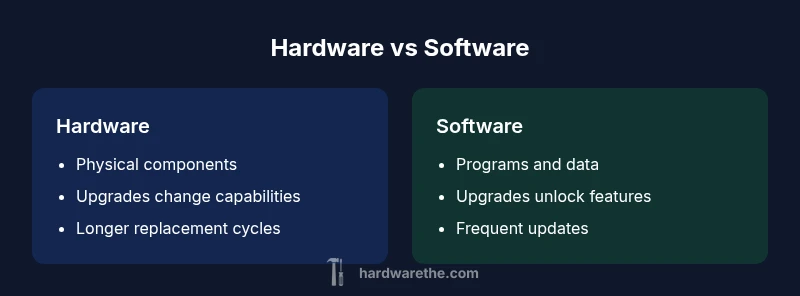
Lifecycle planning for hardware and software requires different thinking about cost, timing, and risk. Hardware incurs capital costs and often follows longer replacement cycles, driven by performance requirements and component reliability. Software costs, on the other hand, often come as ongoing subscriptions, licenses, or support plans that may scale with user counts or features. Upgrading software can unlock new capabilities without touching the hardware, but it may also introduce compatibility requirements or security considerations that necessitate firmware or driver updates. The interplay between categories matters: a modest hardware refresh can enable a much larger software upgrade, and conversely, a software upgrade can extend the useful life of aging hardware when optimized. DIYers should forecast total cost of ownership across both domains, plan for contingencies, and maintain a clear budget for testing and rollout to avoid mid-project stalls.
Common myths and misconceptions
Several myths persist about the difference between hardware and application software that can mislead budgeting and decision making. A common belief is that software updates always fix performance problems; in practice, they may require hardware support or driver updates to realize the benefit. Another misconception is that faster CPUs automatically translate into faster outcomes for every task; software efficiency, caching, and parallelization significantly influence results. Some assume hardware upgrades are the sole path to better reliability; in reality, well-managed software configurations, backups, and monitoring can dramatically reduce risk without a hardware refresh. Finally, many think firmware updates are optional; in the field, timely firmware updates often address critical security vulnerabilities and stability issues. The Hardware encourages readers to verify claims, test changes, and measure results before committing to a purchase.
Practical guidance for DIYers: diagnosing hardware vs software issues
Diagnosing whether a problem originates in hardware or software requires a structured approach. Start with the symptoms: is the issue reproducible across multiple programs or just one application? If you can isolate the problem to a single program, the cause is more likely software. If you observe random crashes, overheating, or POST failures at startup, hardware is a stronger suspect. Use driver update checks, firmware version verification, and operating system logs to pinpoint software influences; for hardware, run built-in diagnostics, swap suspect components, and test with a known-good replacement. Document changes and test after each step to identify the variable that resolves the issue. The Hardware’s practical tip: treat drivers, firmware, and core software as first-class suspects and maintain a test rig so you can compare behavior with different configurations without risking your primary system.
Case studies: real-world examples of the difference between hardware and application software
Consider a home workstation that slows down during video editing. Upgrading the RAM and storage speed addressed the bottleneck and allowed software to run more smoothly, illustrating how hardware investments change capabilities. In another scenario, a small business suite experienced frequent crashes after a software rollout; updating the operating system, applying compatibility patches, and adjusting configuration fixed the instability without touching the hardware budget. A third example shows how embedded devices rely on firmware and drivers to support software features; a simple firmware update can unlock a feature or improve reliability without replacing hardware. These case studies showcase the practical application of understanding the difference between hardware and application software in real projects. The Hardware’s perspective is to emphasize systematic testing, clear measurement of outcomes, and disciplined upgrade planning to maximize value.
Comparison
| Feature | Hardware | Application software |
|---|---|---|
| Definition | Tangible physical components you can touch (CPU, RAM, motherboard, storage, etc.) | Programs and data that run on the hardware (OS, apps, utilities) |
| Primary role | Provides the platform, resources, and reliability (compute, memory, I/O) | Implements logic, features, and user-facing behavior through code |
| Upgrade path | Physical replacements or enhancements (RAM, SSD, GPU, cooling) | Software updates, feature upgrades, and licensing changes |
| Cost of ownership | Capital expenditure, depreciation, and maintenance for components | Licensing, subscriptions, and service fees for software |
| Lifecycle | Hardware lifecycles span years; components become obsolete | Software lifecycles vary by support windows and versioning |
| Failure impact | Hardware faults can crash or render systems unusable | Software faults can crash apps or degrade usability while hardware remains functional |
| Troubleshooting focus | Diagnostics, testing components, replacement if needed | Configuration checks, updates, and bug fixes |
| Security considerations | Firmware and physical security, supply chain, firmware updates | Patching, user access control, and software hardening |
Upsides
- Clear separation of responsibilities aids planning
- Hardware upgrades can deliver long-term reliability
- Software updates unlock new features without new hardware
- Lifecycle planning becomes manageable with distinct domains
- Security can be improved by timely firmware and software maintenance
Negatives
- Hardware upgrades can be costly and invasive
- Software updates can introduce compatibility issues
- Mismatch between software requirements and hardware can lead to bottlenecks
- Overreliance on frequent software changes may complicate stability
Balanced upgrades yield the best value: refresh hardware to remove bottlenecks and keep software up to date for security and new features.
In practice, assess workloads to identify bottlenecks, then apply targeted hardware refreshes and scheduled software updates. This approach preserves performance while controlling costs.
FAQ
What is the difference between hardware and application software?
Hardware refers to the physical components of a system, while application software consists of the programs that run on that hardware. The distinction clarifies responsibilities, upgrade paths, and troubleshooting steps. Knowing this helps prioritize maintenance and budgeting.
Hardware is the physical stuff; software is the programs that run on it. Understanding this helps you plan upgrades and fixes more effectively.
Can software run without hardware?
Software requires hardware to execute. Even when software runs in virtual environments, there is underlying physical hardware or a hypervisor that maps software to resources.
No. Software always requires hardware, even if it runs on a virtual layer.
Where does firmware fit in the hardware-software spectrum?
Firmware sits between hardware and software, providing low-level control. It is software in form but embedded in hardware, and it often needs updates to improve stability and security.
Firmware is software baked into hardware that helps control it; updating it can fix issues without replacing parts.
Why do hardware upgrades sometimes improve software performance?
Because software relies on hardware resources. Upgrading RAM, storage speed, or a processor reduces bottlenecks, allowing software to run faster and more smoothly.
Upgrades remove bottlenecks, letting software perform better.
What is the role of drivers and middleware?
Drivers translate software requests into hardware actions; middleware connects software across hardware and software layers. Keeping them up to date ensures compatibility and reliability.
Drivers and middleware are the glue that makes hardware and software talk properly.
How do you diagnose whether a problem is hardware or software?
Start by reproducing issues across multiple programs. If problems persist across software, test hardware components and run diagnostics. If only one program is affected, focus on software configuration, updates, and compatibility.
Test across apps, check hardware diagnostics, and verify configurations to isolate the cause.
Main Points
- Assess workloads to identify bottlenecks
- Prioritize hardware refreshes for performance bottlenecks
- Keep software and firmware up to date for security
- Plan lifecycle budgets across hardware and software domains
- Test impact after changes to confirm value