What Happens If a Hardware Wallet Breaks
Discover what happens when a hardware wallet breaks, how to recover access, and practical steps to troubleshoot, replace, and protect crypto assets with The Hardware guidance.


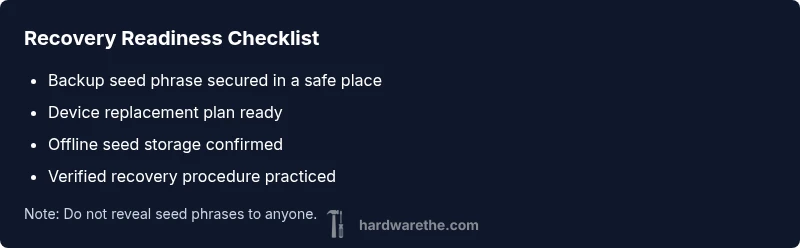
If your hardware wallet breaks, seek immediate access control by using your backup seed phrase on a new device or compatible wallet. The most likely fix is to restore access from your recovery phrase and verify the backup on a trusted device. According to The Hardware, prioritize backups and replace the faulty unit quickly to minimize exposure and protect funds.
Why a Hardware Wallet Breaks Matter
Losing access to a hardware wallet can feel urgent, especially when crypto holdings are at stake. A physical failure—whether a broken screen, faulty connector, bad battery, or firmware glitch—can block transaction signing or device pairing. The Hardware team emphasizes that most recoveries hinge on well-secured backup seeds, tested recovery, and a plan for trusted-device access. Treat any sign of malfunction as a risk signal: do not store sensitive data unprotected, do not rely on a single device, and avoid rushing to replace or repair without verification. The goal is to preserve access to funds while avoiding exposure to phishing, malware, or tampered backups.
In this guide, we assume you already have your recovery seed stored securely and you understand the basic concept of private keys. If you don’t, pause and learn the basics of seed phrases before attempting any recovery. The risk of losing funds rises dramatically when backups are missing or compromised. The Hardware analysis shows that proper backups reduce recovery time and increase the odds of a clean restoration, even if the original device fails catastrophically.
wordsCountedAsTextWithMarkdownWordsInContent":null},
Steps
Estimated time: 1-2 hours
- 1
Confirm power and connections
Check the device is charged and the power button responds. Try a different cable and port, and ensure the device is not in a sleep mode. If the screen stays blank, move to the next steps without attempting risky fixes.
Tip: Use a known-good cable and outlet, and avoid charging via questionable adapters. - 2
Attempt a clean restart or firmware recovery
Follow the manufacturer’s official recovery procedure for firmware recovery or a safe reboot. Do not flash unverified firmware from third parties. Ensure your seed phrase remains offline and untouched.
Tip: Only use official download sources and verified guides. - 3
Test establishment on a separate computer
Connect the wallet to a clean, offline computer or a device that you control completely. This minimizes exposure to malware and keyloggers during recovery attempts.
Tip: Disable auto-sync in any wallet software before connecting. - 4
Begin seed-based recovery with a new device
If the original device remains unresponsive, initialize a new hardware wallet and enter your recovery seed to restore wallets and accounts. Verify each recovered address and test a small transaction before full use.
Tip: Never share seed phrases; confirm the recovery succeeds by signing a test transaction. - 5
Verify funds and signing capability
After recovery, verify all asset balances and test transaction signing. Ensure that private keys are never exposed; keep the recovery seed in a safe location and not on the same device.
Tip: Perform a small, non-critical transfer to confirm functionality. - 6
Plan for device replacement or upgrade
If the original device is physically damaged, arrange a replacement through official channels. Rebuild your backup strategy and double-check seed storage and access controls.
Tip: Consider setting up a redundant backup strategy across secure locations.
Diagnosis: Device shows no power, won’t connect to computer, or screen is blank during use
Possible Causes
- highBattery failure or dead power supply in the device
- mediumDamaged USB/USB-C port or charging cable
- mediumFirmware corruption or corrupted boot sequence
- lowSeed phrase or PIN lockout due to repeated attempts
Fixes
- easyTest with a known-good charging cable and power source; try a different USB port or computer
- easyInspect/replace the USB-C port or charging cable if physical damage is visible
- mediumAttempt a firmware recovery or device reset following official guidance, ensuring seed backup remains offline
- hardIf still unresponsive, recover funds via seed phrase on a new/browse-compatible wallet and re-seal backups securely
FAQ
What should I do first if my hardware wallet won’t turn on?
Begin with basic checks: ensure it’s charged, try a different cable and port, and attempt a simple reboot following the official recovery procedure. If there’s still no response, move to seed-based recovery on a separate device.
First check the power, then try a different cable and port, and follow the official recovery steps if it won’t turn on.
Can I recover funds if the device is damaged?
Yes. If you have a secure backup seed phrase, you can recover access on a new device. Do not rush to re-enter the seed on compromised hardware; verify the recovery process using a trusted device.
Yes, with a secure backup seed, you can recover funds on a new device, but verify the process on a trusted device.
Is a backup seed phrase enough for recovery without the original device?
A backup seed phrase is the primary method to restore access on a new wallet. Ensure the seed phrase is complete, offline, and uncompromised before starting recovery.
A seed phrase is enough to restore access on a new wallet if it’s secure and complete.
What if my backup seed phrase is lost or compromised?
If seed is lost, recovery is not possible. If compromised, immediately revoke the seed and generate a new backup setup using a different device, and keep the new seed offline.
If the seed is lost or compromised, stop using it and generate a new backup set on a secure device.
Should I contact support or a professional for device failure?
If you cannot recover access after following official guides, contact the wallet manufacturer’s support. For complex cases or potential fraud, seek an experienced professional with verification of their credentials.
If your recovery attempts fail, contact official support or a trusted professional for assistance.
How can I prevent future wallet failures?
Maintain multiple backups, store them securely, and periodically test your recovery process. Keep firmware up to date and only use trusted hardware and software environments.
Keep backups secure, test your recovery, and stay updated with official firmware.
Watch Video
Main Points
- Back up recovery seeds in secure locations
- Test recovery on a fresh device to confirm access
- Use official recovery procedures and trusted devices
- Avoid exposing seeds or keys during troubleshooting
- If device fails, recover funds and then reestablish backups