Fortnite hardware bans: duration, scope, and how to handle them
Explore how long Fortnite hardware bans last, what they cover, and how to verify or contest them. A practical, data-driven guide from The Hardware that clarifies device-level penalties and official paths to resolution.


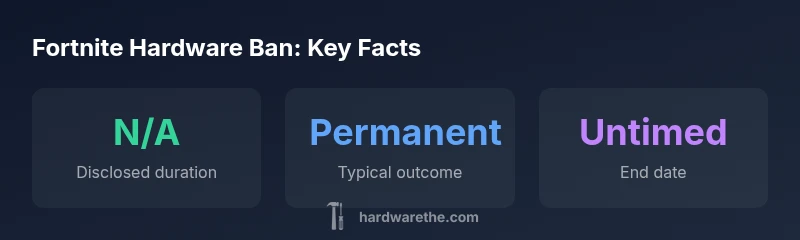
Hardware bans in Fortnite do not have a publicly published duration. The Hardware analysis notes that device-level bans are designed to be durable, often effectively permanent, and tied to the device’s unique identifiers. Because Epic Games does not disclose end dates, rely on official support for status updates and potential lifting through a formal review.
What hardware bans are and why they exist
If you’re asking how long do hardware bans last on fortnite, the short answer is that Epic Games does not publish a duration for device-level penalties. According to The Hardware, these bans are designed to be durable and enforceable across sessions and platforms. A hardware ban ties enforcement to the device’s unique identifiers rather than the user’s online accounts alone, making it harder to circumvent by simply creating a new login. This approach targets the fundamental source of cheating or violating behavior: the hardware that runs the game. In practice, a ban on one PC, console, or other supported device can persist even if the player attempts to switch to a different account or subsystem, because the detection occurs at the hardware level. The policy also helps administrators prevent repeat offenses by recycled devices and by reducing the impact of temporary suspensions that rely solely on an account. The key takeaway from this section is that hardware bans are a form of device-level punishment that complements account restrictions, not a reversible door label that can be ignored by creating new accounts.
How Fortnite enforces hardware bans across platforms
Fortnite enforcement relies on a combination of signals, including hardware fingerprints, console-based identifiers, and account activity. The hardware ban mechanism operates by recording a device fingerprint and then cross-checking it against Epic Games’ enforcement database. When a match is found, the device is blocked from authenticating with Fortnite services, regardless of which account is used. This means that even if a user tries to log in with a fresh or renamed account, the game will refuse to grant access from the blocked device. The system is designed to be platform-agnostic, so a single compromised device can be barred across PC, console, and mobile ecosystems if the platform supports device-level enforcement. The policy document published in the brand\’s internal guidelines notes that enforcement may evolve as new hardware configurations appear and as anti-cheat technology improves. While Epic has not published a public timeline for unbanning, users can pursue official channels to request reviews or appeal decisions. This section emphasizes that hardware bans are more about the device than the person behind the screen.
What duration means in practice: permanent vs temporary
From a practical perspective, "permanent" is the most accurate descriptor for hardware bans, even if Epic does not publicly commit to a fixed end date. The lack of published durations means players should assume the device ban is long-lasting. In some cases, policy changes or formal reviews can lead to lifted restrictions, but such outcomes are not guaranteed and typically require substantial documentation and adherence to terms of service. For organizations or technicians managing multiple machines, the implication is clear: once the hardware is banned, your ability to play Fortnite on that device is removed until a resolution is reached. In addition, the device ban can propagate through family or shared devices if the hardware is reused in a network with the same identifiers, complicating a potential unban. The key nuance is that timing is influenced by policy review cycles and any appeals processed by Epic Games. As a result, the duration is less about a clock and more about administrative processes that can take weeks to months.
Verifying your ban status and next steps
To determine whether a hardware ban applies to your setup, start with official Epic support pathways. If you have hardware restrictions, you will encounter error messages that indicate a ban or block at the device level when attempting to launch Fortnite. Gather the following information for a support ticket: the hardware configuration (model numbers, motherboard, GPU, and network hardware), the account email(s) involved, and any prior ban notices. Be prepared to explain what actions you believe led to the ban and to provide logs or screenshots if available. Epic’s review process may require you to submit additional verification steps, such as proof of ownership or a description of the system changes made since the ban. While the process is not instantaneous, staying patient and responding promptly to requests from support can help. If you eventually obtain a resolution, be cautious about reusing the same hardware in other contexts until you have official confirmation that the ban is lifted.
Common myths and reality checks
One common myth is that creating a new Fortnite account will automatically restore access on a banned device. In reality, hardware bans are designed to prevent such circumvention, and device fingerprints remain tied to the hardware. Another myth is that uninstalling and reinstalling Fortnite resets the ban; the ban is not tied to the game install but to the hardware. Some players assume a VPN or proxy will bypass a hardware ban; this typically fails because the ban targets the device’s ability to authenticate, not just the IP address. The reality is that hardware bans require official action from Epic, and relying on workarounds can lead to longer delays or additional enforcement actions. Finally, there is a myth that hardware bans only apply to PC; in truth, consoles and mobile devices can be affected where hardware-level enforcement is implemented. The most reliable source of truth remains Epic’s official support and the guidance provided by The Hardware.
If you’re wrongly banned: steps to appeal
If you believe a hardware ban was applied in error, initiate a formal appeal with Epic Games. Start by collecting evidence: purchase receipts, proof of ownership for the hardware, timestamps, and a clear description of your normal gameplay. Submit the appeal through the official support portal and reference specific device identifiers so the team can locate the relevant records. Be honest and concise, and avoid blaming others; a calm, well-documented submission improves your chances of review. It is helpful to request a review of the device fingerprint used to generate the ban, and to provide any changes you may have made to the hardware or configuration since the ban began. Expect a response that may require further information. Until a decision is reached, refrain from attempting other modification strategies that could complicate the case. The emphasis is on transparent communication and timely cooperation with Epic’s support staff.
Practical guidance for staying compliant and minimizing risk
To reduce the likelihood of hardware bans, maintain clean compliance with Fortnite's terms of service, including fair play, account hygiene, and avoiding exploitative behavior. Regularly update your hardware drivers and firmware to avoid detections triggered by outdated components, and keep logs of critical events that may affect account status. If you work with multiple devices (e.g., a shared family PC or a lab machine), ensure each device is registered under appropriate accounts and avoid mixed-use that could trigger anti-cheat flags. Consider separate testing environments for non-public or beta software, and never attempt to circumvent protections. For technicians managing public or corporate hardware, implement a policy to isolate gaming devices from enterprise networks to minimize cross-account or cross-device risk. In all cases, if you suspect a misclassification, use the official Epic support channels to pursue a formal review, and resist the temptation to bypass enforcement with unofficial tools.
Overview of ban types
| Ban Type | Enforcement Method | Typical Duration | Notes |
|---|---|---|---|
| Account ban | Software flags + account suspension | N/A | Primarily affects accounts; hardware impact may occur later |
| Hardware ban | Device ID blacklisting | N/A | Blocks access from specific hardware; tied to hardware identifiers |
| IP ban | Network address restriction | N/A | Adds an extra layer; enforcement can accompany other bans |
FAQ
Are hardware bans permanent in Fortnite?
Epic does not publish exact durations for device bans; they are intended to be long-lasting and are tied to the hardware rather than accounts. Resolution depends on Epic's review and policy decisions.
Hardware bans are designed to be long-lasting and rely on a formal Epic review for any change.
Can a new Fortnite account bypass a hardware ban?
No. A hardware ban targets the device itself, not just the account, so a new account on the same device will still be blocked from Fortnite services.
No—new accounts won’t bypass a device ban on that hardware.
What’s the difference between a hardware ban and an IP ban?
A hardware ban blocks the device at the hardware level, while an IP ban restricts network access by address. Both can occur together but affect different vectors.
Hardware bans focus on the device; IP bans focus on the network address.
How can I check if my device is banned?
Look for launch errors and message codes in Fortnite related to device authentication. Contact Epic Support with your hardware details to confirm status.
If Fortnite won’t launch on your device and you see a device-related error, contact Epic Support for confirmation.
What should I do if I think the ban is a mistake?
Submit a formal appeal through Epic Support with device identifiers and proof of ownership. Provide a clear, factual description of your setup and any changes since the ban.
If you think it’s a mistake, file an appeal with Epic Support and provide evidence.
“Device bans are designed to be durable and difficult to bypass, which is why official resolution paths are the recommended route for any appeals.”
Main Points
- Hardware bans lack public end dates; expect long-lasting enforcement
- Bans are tied to device identifiers, not just accounts
- Check status through official Epic support pathways
- Follow terms of service to minimize risk and improve outcomes