Where to Install Hardware on Shaker Cabinets: A DIY Guide
Learn precise placement for knobs and pulls on shaker cabinets, with templates, measuring tips, and safe drilling techniques for a cohesive, high-quality finish.


By the end of this guide, you’ll know where to install hardware on shaker cabinets for both doors and drawers, how to choose alignment patterns, and how to use templates and measurements for consistent results. According to The Hardware, precise spacing and clean alignment are essential for achieving the classic shaker look. You’ll also learn how to mark centers, drill clean pilot holes, and verify alignment before final mounting.
Why hardware placement matters on shaker cabinets
Shaker cabinets are defined by clean lines and simple geometry. The hardware you choose and where you place it can dramatically change the character of the finished space. According to The Hardware, consistent spacing and alignment are essential to preserving the classic, timeless look of shaker style. Proper placement also affects usability, especially when cabinets are tall or run in a long run. For doors, a single knob or pull per panel is typical; for drawers, a single pull centered on the front is common. When multiple panels are used, keep a uniform offset from the top edge and the side edge across the entire run to create a cohesive visual rhythm. This section explores why placement matters, how to decide on a layout, and how to test your plan before committing to drilling.
Key variables to decide before you start
Before you drill a single hole, decide the core layout: knob vs pull, height relative to the cabinet edge, and whether to align all hardware on a single line or stagger it for a mixed look. For shaker cabinets, most homeowners prefer consistent alignment along a common reference line—typically the vertical center of the drawer fronts and doors when viewed from the front. Decide if you want hardware shared between adjacent doors (one handle for two doors) or individual handles per piece. Consider the proportion of hardware to the furniture size; larger doors benefit from longer pulls or two smaller pulls, while smaller doors often use a single knob or compact pull. This planning reduces guesswork and ensures a balanced, professional result.
Standard layouts for shaker cabinet hardware
There are two widely used layouts for shaker cabinets. First, the classic centerline layout places a single pull or knob at the center of each door or drawer front. This layout emphasizes symmetry and makes operation intuitive. Second, a stacked layout lines up multiple handles along a vertical edge when doors are wide; this approach can suit longer runs and contemporary interiors. In both patterns, aim for consistent edge distances and keep the reference line aligned across the full run. For doors with inset or full-overlay frames, ensure the hardware sits at the same horizontal position relative to the door edge. The Hardware notes that repeating the same pattern across all cabinets yields a cohesive look and reduces visual clutter.
Step-by-step planning and templating
Create a precise plan before drilling. Start by choosing your hardware style and decide on a layout for doors and drawers. Use a printable template or a DIY paper template to transfer hole centers to each piece. Attach the template with painter's tape and verify it sits square to the cabinet frames. Mark the center points with a pencil, then double-check spacing across adjacent panels. The Hardware recommends photographing or recording your layout so you can replicate it on subsequent cabinets.
Drilling and mounting hardware safely
Proceed with care to avoid chipping or misdrilling. Drill pilot holes at the marked centers using a drill bit appropriate for the screw size and cabinet material. If your screws will pass completely through the door, drill a countersink on the opposite side to ensure the head sits flush. Use a level to verify that the reference line remains straight across doors and drawers. Attach the hardware loosely first to check alignment, then tighten after final verification. Keep track of screw length and avoid overtightening, which can strip threads or deform the cabinet face.
Common mistakes and how to fix them
Common issues include misaligned centers, uneven edge distances, and cross-arch mistakes when you mount hardware on multiple panels. If you discover misalignment after mounting, loosen the screws slightly and re-check with a template, making small adjustments as needed. When in doubt, remount on a fresh hole pattern rather than forcing slightly off holes. Regularly check both vertical and horizontal alignment as you progress along a kitchen run to avoid cascading errors.
Finishing touches and maintenance
After installation, wipe away pencil marks and any dust from drilling. If using metal hardware with a brushed finish, consider a light wipe with a compatible cleaner to avoid dulling or staining. Periodically check screws and tighten as needed to maintain alignment, especially in high-use areas. For shaker cabinets, the goal is consistent, uncluttered lines where the hardware reads as a deliberate design element rather than a distraction.
Tools & Materials
- Measuring tape(12 ft minimum recommended)
- Pencil (HB) or mechanical pencil(For precise center marks)
- Paper or printable template for hardware layout(Use manufacturer pattern or DIY template)
- Painter’s tape(To secure templates without marring finish)
- Center punch(Lightly indent centers to prevent drill wandering)
- Drill with appropriate bits(Pilot hole bit size should match screw shank)
- Countersink bit(Use if flush head seating is desired)
- Screwdriver set (Phillips and flathead)(For hardware mounting and adjustments)
- Level(Keep reference line straight across run)
- Safety glasses(Protect eyes during drilling)
- Screws matched to hardware(Use length appropriate to cabinet material)
Steps
Estimated time: 1.5-3 hours
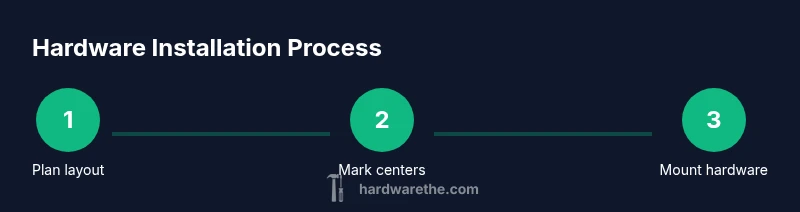
- 1
Plan layout
Identify whether you’ll use knobs or pulls, and decide on a consistent layout for doors and drawers. Confirm whether to align all hardware to a common centerline and mark initial reference points on one representative cabinet.
Tip: Sketch the layout first and take a reference photo to replicate across all pieces. - 2
Prepare templates
Attach your template to the cabinet faces with painter’s tape, ensuring it sits flat and square to the door/frame. Double-check that the template’s hole centers align with your planned reference line.
Tip: If using paper templates, tape edges to prevent shifting when you mark holes. - 3
Mark centers
Using a pencil, mark each hole center through the template. Use a center punch to create a small indentation to guide the drill bit.
Tip: Make minor marks first; verify against adjacent panels before proceeding. - 4
Drill pilot holes
Drill pilot holes at the marked centers with a bit size appropriate for the screws. Keep the drill perpendicular to the surface to maintain straight holes.
Tip: Start slow and clean out dust before continuing to new holes. - 5
Optionally countersink
If you want the screw heads flush with the surface, use a countersink bit on the opposite side or at the same face if needed.
Tip: Test fit a screw in a scrap piece to confirm seating. - 6
Mount hardware loosely
Install the hardware using the mounting screws without fully tightening. This lets you adjust alignment before final snugging.
Tip: Check that each piece lines up with the reference line across the run. - 7
Check alignment across the run
Stand back and visually inspect consistency on all panels. If any piece is off, loosen and re-position before final tightening.
Tip: Use a spirit level or laser line to ensure a straight reference line. - 8
Tighten and finish
Fully tighten all screws once alignment is confirmed. Wipe away marks and dust, then test hardware operation for smooth action.
Tip: Avoid overtightening to prevent warping or stripping threads.
FAQ
Is it necessary to use a template for every shaker cabinet layout?
Using a template reduces drift and ensures consistent hole centers across multiple cabinets. It’s especially helpful for long runs where symmetry matters.
A template helps you keep centers aligned across all doors and drawers, ensuring a cohesive look.
Can I mix knobs and pulls on shaker cabinets?
Mixing can work for a deliberate design, but keep the layout consistent to avoid a disjointed appearance. Decide on a rule (e.g., knobs on doors, pulls on drawers) and apply it everywhere.
Yes, you can mix them if you keep a consistent pattern across the run.
What spacing is recommended for shaker cabinet hardware?
Choose a consistent distance from the door edge or centerline that works with your cabinet size and hardware style. Apply the same measurement pattern to every cabinet for a cohesive look.
Keep a standard distance from the edge and repeat it on all cabinets.
Should I drill pilot holes?
Yes. Pilot holes help prevent splitting, guide screws, and improve accuracy. Use a drill bit sized to your screw and cabinet material.
Pilot holes keep holes clean and precise, reducing the risk of splitting.
What should I do if hardware is misaligned after mounting?
Loosen screws slightly, re-check centers with template, and adjust before re-tightening. If needed, start over with a fresh hole pattern.
If you notice misalignment, adjust before final tightening.
Watch Video
Main Points
- Plan layout before drilling to avoid rework.
- Maintain a consistent reference line across all cabinets.
- Use templates to ensure precise hole centers.
- Test fit hardware before final tightening.
- Check alignment after mounting all pieces.