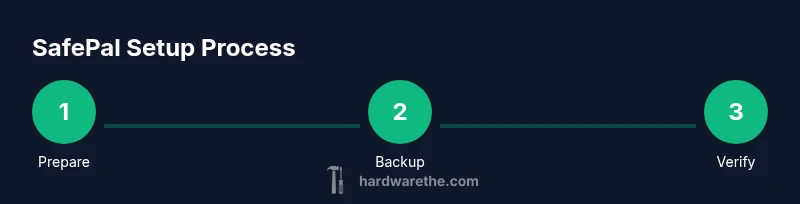
How to Use SafePal Hardware Wallet: A Practical Guide
Learn how to safely set up, back up, and use your SafePal hardware wallet to store and transact cryptocurrency with confidence. This step-by-step guide covers unboxing, seed backup, app pairing, address verification, and ongoing security practices.


By the end of this guide, you will be able to safely set up and use a SafePal hardware wallet to store and transact cryptocurrencies. You will learn unboxing, seed phrase backup, app pairing, address verification, and secure signing of transactions. This approach keeps private keys offline and reduces exposure to online threats.
how to use safepal hardware wallet: a practical overview
In this guide you will learn how to safely set up and use a SafePal hardware wallet to protect your crypto assets. According to The Hardware, hardware wallets place private keys offline, which reduces exposure to malware and phishing. This article walks you through the full lifecycle: unboxing, seed backup, app pairing, address verification, secure transaction signing, and routine upkeep. Expect practical, hands-on steps, clear checklists, and concrete tips you can apply today to improve security and control over your digital funds.
Core security concepts behind SafePal
SafePal combines a dedicated hardware device with a companion app to keep private keys offline while enabling convenient transaction signing. Key concepts include: a strong PIN or passphrase, seed phrase backup stored offline, device verification of addresses on-screen, and a tamper-evident workflow that minimizes exposure of sensitive data. The goal is to ensure you approve every transaction on the device itself, not on a connected computer, phone, or browser. Understanding these concepts helps you avoid common attack vectors like phishing links, fake recovery prompts, and malware attempting to intercept data.
Getting started: unboxing and initial setup
Start with a tamper-evident seal check and confirm the packaging is intact. Power the device and set a strong PIN you can remember but others cannot guess. When prompted, decide whether to create a new wallet or restore from an existing seed. If restoring, have your seed phrase ready in a safe location. This phase sets the foundation for secure use, so take your time and double-check each step before proceeding. For visual guidance, you can refer to the device's on-screen prompts and the official SafePal app.
Backing up your seed phrase safely
Your seed phrase is the master key to all funds. Write down the recovery words on two independent pieces of tamper-evident paper or another offline method and store them in separate physical locations. Never store the seed phrase on a computer, phone, or cloud storage. Consider metal backup options for increased durability. After recording, verify each word by following the device prompts to re-enter the sequence. This verification step helps prevent future recovery errors that could lock you out of funds.
Installing the SafePal app and pairing with the device
Install the SafePal app from your platform’s official store and open it to begin pairing. Follow the on-screen instructions to connect the device via the recommended method (usually a local, offline pairing process). The app will typically display a QR code or a pairing prompt that you must approve on the device. Keep the device close during this process and avoid pairing on public or compromised networks. Successful pairing enables wallet management and transaction signing from a trusted interface.
Verifying addresses and performing transactions securely
Before sending funds, always compare the recipient address shown on the SafePal device with the address you intend to send to. Do not rely on the screen alone if your computer or phone can be compromised; verify the address on the wallet screen itself. Enter or paste the amount and confirm the transaction on the device. Always keep transactions small when testing a new setup. This practice reduces risk and gives you confidence in the workflow.
Protecting the device from threats and best practices
Keep your device in a safe, offline location when not in use. Do not connect to unknown or compromised computers or networks. Be cautious of phishing attempts that try to prompt you to reveal seed information or PINs. Regularly review connected apps and permissions and disable any that you do not recognize. Consider enabling extra security features such as a passphrase or decoy wallet if available, to add layers of protection against loss or theft.
Maintaining your SafePal wallet: firmware updates and recovery
Check for firmware updates from official sources through the SafePal app and apply them promptly, but only after ensuring your seed backup is securely stored. Do a quick post-update check to confirm your addresses and balances appear correctly. If you ever lose access, use your offline seed phrase to restore your wallet on a fresh device. Regular maintenance helps you stay protected against evolving threats.
Authority sources
For additional guidance and formal security recommendations, consult official resources such as: • https://www.consumer.ftc.gov/articles/what-cryptocurrency • https://www.sec.gov/oiea/investor-alerts-and-brochures/ia_cryptocurrency • https://www.nist.gov/topics/cryptography
Common mistakes to avoid and how to fix them
Avoid keeping seed phrases on digital devices, texting seed words, or using untrusted networks during setup. Do not rush through pairing or transaction verification—take time to confirm each screen and word. If something seems off, pause and re-verify steps rather than continuing. Finally, never share seed phrases with anyone and consider a secondary backup strategy to guard against loss.
Tools & Materials
- SafePal hardware wallet device(Ensure packaging is intact and seals are unbroken)
- Smartphone with SafePal app installed(Download from official app store)
- USB-C charging cable(Original or certified cable recommended)
- Seed backup medium (tamper-evident paper or metal seed plate)(Two independent backups preferred)
- Quiet, secure storage location for backups(Avoid shared spaces; consider a safe or safe deposit)
Steps
Estimated time: 30-60 minutes
- 1
Inspect and prepare the device
Unbox the wallet and check for tamper seals. Power the device and ensure it responds to prompts. Read the on-device instructions carefully before proceeding.
Tip: If any seal is broken, do not use the device; contact support. - 2
Set a strong PIN
Create a unique PIN that combines numbers with a pattern you can remember. Avoid common codes and never reuse a PIN from another device.
Tip: Write the PIN down only in your secure backup and not on paper you keep with the device. - 3
Choose new wallet or restore
Select whether you want to create a fresh wallet or restore from an existing seed. If restoring, carefully enter the seed words in the correct order.
Tip: Verify the seed input by re-entering the words when prompted. - 4
Record your seed phrase offline
Write down all seed words in order on tamper-evident backup media. Do not take photos or store digitally.
Tip: Keep two separate backups in different secure locations. - 5
Verify seed backup
Use the device prompts to confirm the seed words you recorded match the official sequence.
Tip: A mismatch means a flawed backup; do not proceed. - 6
Install app and pair
Open the SafePal app, follow pairing steps, and grant only necessary permissions. Complete the pairing when the device confirms.
Tip: Keep the pairing window on the screen and avoid using public Wi-Fi. - 7
Add a first address check
Load a test address to understand the flow; verify the address appears on the device before any real transfer.
Tip: Do a small test transfer to ensure the flow works as expected. - 8
Sign and send a transaction
Enter recipient details in the app, review the on-device address and amount, and approve the transaction on the device.
Tip: Never approve transactions on a compromised computer or untrusted network. - 9
Update firmware and test recovery
Check for updates in the app, apply them, and verify that addresses and balances still display correctly. Plan a periodic recovery test with your seed backup.
Tip: Always back up before updating firmware and perform a recovery check afterward.
FAQ
What is a SafePal hardware wallet and what does it do?
A SafePal hardware wallet is a physical device that stores private keys offline. It signs transactions on the device itself, helping protect crypto assets from online threats. The wallet pairs with a companion app to manage funds securely.
A SafePal wallet is a physical device that keeps your private keys offline and signs transactions on the device. It connects to a companion app for management, reducing online risk.
How should I back up my seed phrase safely?
Write the seed phrase on tamper-evident paper or a metal seed plate and keep backups in separate secure locations. Do not save the seed to any digital device or cloud service.
Back up your seed phrase on tamper-evident paper or metal and store copies in separate secure places. Do not store seeds digitally.
Can I use SafePal with multiple devices?
SafePal supports pairing with the official app on mobile devices. Avoid exposing the wallet to untrusted devices or networks. If you need multiple access points, ensure each device is secure and trusted.
You can pair SafePal with the official app on trusted mobile devices. Don’t connect to untrusted devices or networks.
Is SafePal compatible with all coins and tokens?
SafePal supports a broad range of major cryptocurrencies, but compatibility can vary by firmware and app version. Check the official list in the SafePal app before attempting new assets.
SafePal covers many major coins, but confirm compatibility in the app before transferring new assets.
What should I do if I lose access to my seed phrase?
If you lose access to your seed phrase, you lose control of your funds. Use your backup backups to recover on a new device, and contact support if you believe you were compromised.
Losing a seed phrase means you may lose access to funds. Restore from backups on a new device and seek support if needed.
How often should I update the SafePal firmware?
Check for updates regularly through the SafePal app and apply them when released. Always ensure you have a recent seed backup before updating.
Check for updates in the app and install them when available, after backing up your seed.
Watch Video
Main Points
- Protect private keys by keeping them offline
- Back up seed phrases securely in two places
- Verify addresses on-device before sending funds
- Regularly update firmware and test recovery
- Avoid untrusted networks and phishing attempts