What hardware requirements for Windows 10
Learn the minimum and recommended hardware specs for Windows 10, how to verify your PC, upgrade paths for DIY enthusiasts, and practical tips to maximize performance.


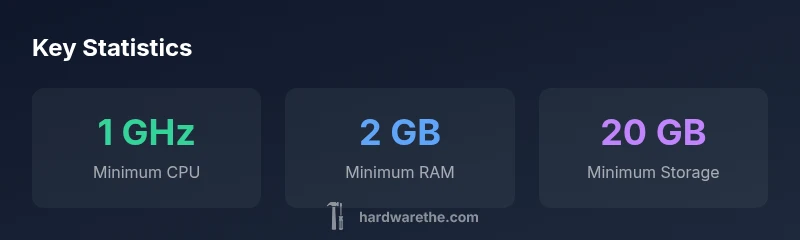
Windows 10 runs on a broad range of hardware. The minimum requirements are a 1 GHz processor, 1 GB RAM for 32-bit or 2 GB for 64-bit, and 16 GB free storage for 32-bit or 20 GB for 64-bit, with DirectX 9 graphics and a WDDM 1.0 driver. For practical use, target higher specs to improve speed and future updates.
Understanding Windows 10 hardware basics
According to The Hardware, Windows 10 supports a broad range of hardware, which makes it approachable for DIY builders and everyday users. The core idea is that the operating system is designed to run on both older and newer systems, but performance scales with more capable components. The key architectural choices to understand are CPU architecture (32-bit vs 64-bit), memory (RAM), and storage. A 64-bit version can address more RAM and generally provides smoother multitasking on modern software, while a 32-bit version is more tolerant of very limited RAM but will feel constrained with contemporary apps.
A typical baseline machine in today’s DIY scenarios uses a multicore x86/x64 processor, 2 GB or more of RAM, and a solid-state or hard disk with adequate free space. For light usage, even older hardware can run Windows 10, but you should expect slower boot times, longer app load times, and limited multitasking. The Hardware notes that the real-world impact of RAM is often greater than raw CPU speed when multitasking with web browsers, document editors, and lightweight development tools.
- Core takeaway: meet or exceed the minimums; prioritize RAM and storage for a better experience.
- Quick tip: enable a few performance-enhancing settings and keep drivers up to date.
The authoring team also emphasizes the relationship between software needs and hardware capacity—modern apps demand more RAM and storage than the Windows 10 minimum suggests.
sectionFocusiledSectionWordCountHint”:210},{
Minimum hardware requirements vs practical notes
| Component | Minimum Requirement | Notes |
|---|---|---|
| CPU | 1 GHz processor (x86 or x64) | Supports PAE, NX, and SSE2; 64-bit enables more RAM and better future compatibility |
| RAM | 1 GB (32-bit) / 2 GB (64-bit) | Performance varies with workload; 4 GB+ is common for modern use |
| Storage | 16 GB (32-bit) / 20 GB (64-bit) | Keep extra space for updates and apps |
| Graphics | DirectX 9 graphics with WDDM 1.0 driver | Basic display acceleration for UI and apps |
| Display | 1024x768 | Minimum resolution for setup and use |
FAQ
What are the exact minimum hardware requirements for Windows 10?
The minimums are a 1 GHz processor, 1 GB RAM (32-bit) or 2 GB RAM (64-bit), 16 GB storage (32-bit) or 20 GB (64-bit), and DirectX 9 graphics with a WDDM 1.0 driver. Real-world performance improves with more RAM and storage.
The minimum specs are a 1 GHz processor, 1 to 2 GB of RAM, and DirectX 9 graphics; more RAM helps.
Can Windows 10 run on older hardware?
Yes, if the PC meets the minimum specs, Windows 10 can run on older CPUs and limited RAM. However, performance may be sluggish on devices far below modern standards.
Yes, it can run on older machines, but performance may be slow.
Is 64-bit Windows 10 better than 32-bit?
64-bit Windows uses more RAM efficiently and supports modern software. If your hardware supports it, 64-bit is generally the better choice.
If you can run it, 64-bit is the better option for modern software.
How do I check my PC's hardware compatibility?
Use Settings > System > About to confirm RAM and processor details. Run dxdiag to verify DirectX support and check disk space in File Explorer.
Check RAM, CPU, DirectX, and storage to see if you meet the requirements.
Do I need TPM or Secure Boot for Windows 10?
No, TPM 1.2 and Secure Boot are not strict requirements for Windows 10, though some features and updates can benefit from compatible firmware.
Not required for Windows 10, but having compatible firmware helps.
“Most Windows 10 devices that meet the minimums offer usable performance, but the real determinant is RAM and storage. Plan for above-minimum specs to handle updates and multitasking.”
Main Points
- Know the minimums and plan upgrades accordingly
- Check RAM and storage before upgrading hardware
- Prefer 64-bit Windows for future software compatibility
- Keep drivers and firmware up to date for best results