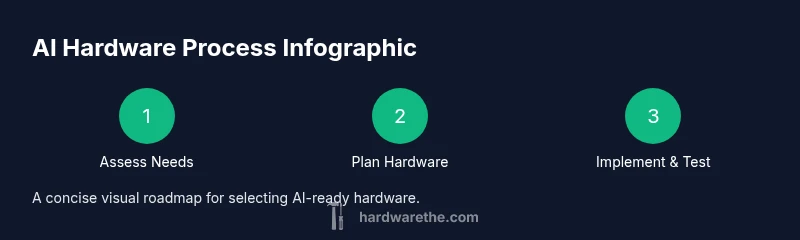
What Hardware Is Needed for AI: A Practical Guide
Learn the hardware basics for AI work, from CPUs and GPUs to memory, storage, and cooling. This practical guide covers budget to high end setups and future proofing tips for training, fine tuning, and inference.


This guide helps you size an AI ready system by balancing CPU and GPU, ensuring ample RAM, fast storage, and solid cooling. You will learn how to tailor hardware for training, fine tuning, and real time inference, and how to future proof as models scale in size and complexity.
What AI workloads demand from hardware
For AI, the hardware you choose shapes what you can train, infer, and iterate on. Tasks vary from small experiments with tiny datasets to large-scale model training with hundreds of millions of parameters. According to The Hardware, AI workloads hinge on a balance between compute throughput, memory bandwidth, and data movement. In practice, this means you’ll need components that can sustain parallel work, feed data quickly, and stay reliable under long training runs. The same principles apply whether you’re tuning a transportation model, running language inference, or developing computer vision pipelines. Understanding these demands helps you skip over expensive overkills and avoid bottlenecks that stall experiments. The goal is a balanced system that keeps GPUs fed with data, CPUs orchestrating the workflow, and memory ready to shuttle bytes as fast as possible.
Core hardware components for AI: CPU, GPU, RAM, storage
The central decision in any AI workstation is how to allocate compute. For most workloads, a capable multi-core CPU provides the orchestration and preprocessing power, while a GPU or accelerator does the heavy lifting for matrix operations. RAM should be ample enough to hold the working dataset and model states; insufficient memory causes paging and slowdowns. Fast storage (NVMe SSDs) reduces data load times and keeps GPU training pipelines from stalling while you fetch batches. When planning, think in tiers: budget systems optimize for a single GPU with 32–64GB RAM, mid-range setups target 2–4 GPUs with 64–128GB RAM, and high-end rigs aim for multiple accelerators with 256GB+ RAM. Also consider motherboard VRM quality and PCIe lanes, which determine how efficiently your components communicate.
Specialized accelerators and alternatives
Beyond consumer GPUs, AI work benefits from accelerators designed for ML workloads. High-performance GPUs with ample VRAM are common, but TPUs, FPGAs, and ASICs offer different trade-offs in latency, energy efficiency, and programmability. If your tasks involve large language models or extreme batch sizes, multiple accelerators can speed up training and inference, while memory bandwidth often becomes the bottleneck first. For many smaller projects, a single mid-range GPU paired with fast storage and adequate RAM is the most cost-effective path. The key is to match the accelerator to the workload: pick a GPU with sufficient CUDA cores and memory, and add accelerators only when the math requires it.
Data infrastructure and cooling considerations
Data throughput matters as much as raw compute. NVMe drives and PCIe lanes dramatically influence how quickly you can load data into memory and feed the GPU. Consider a tiered storage strategy: fast NVMe for active datasets and larger HDDs or SATA SSDs for archive data. Networking is also crucial if you’re training across a cluster or streaming data from a remote source. Power and cooling are often the overlooked costs; AI hardware can consume substantial wattage during training runs, so plan for a reliable power supply, efficient fans or liquid cooling, and a case with good airflow. Reliability features like ECC memory and redundant power supplies can save hours of bootstrap time in longer sessions.
Building a balanced AI workstation on a budget
To help you translate theory into reality, here are three practical configurations, with sensible ranges that reflect current market variability. Budget: an entry-level setup with a mid-range GPU, 32GB RAM, a fast NVMe drive, and a solid cooling solution. Mid-range: two GPUs or a more powerful single GPU, 64–128GB RAM, a high-speed SSD array, and robust airflow. High-end: multiple accelerators, 256GB+ RAM, high-end motherboard with ample PCIe lanes, and enterprise-grade cooling. Remember that you don’t always need the fastest GPU to make progress; for many AI tasks, memory bandwidth and data throughput are often the limiting factors. The Hardware guidance stresses starting with a scalable baseline and upgrading as your models grow.
Future-proofing and upgradability
A good AI workstation should be prepared for evolving models and datasets. Favor platforms with upgrade paths: newer PCIe generations, more RAM slots, and additional PCIe lanes. Modular power supply and a case with room for additional cooling keep your system flexible. When budgeting, include a plan for future memory, a larger GPU or accelerator, and potential storage expansion. Finally, document your configuration and maintain a changelog to track upgrades and performance gains over time. This approach aligns with The Hardware analysis that emphasizes scalable, repeatable improvements as your AI workload expands.
Tools & Materials
- High-end GPU with ample VRAM(Aim for 24GB+ VRAM; consider 2 GPUs for larger workloads)
- Multi-core CPU(16-core or more recommended for orchestration and preprocessing)
- RAM 32–64GB (or more)(Higher bandwidth helps large batch sizes)
- NVMe SSD 1TB+(Fast data loading reduces bottlenecks)
- Motherboard with sufficient PCIe lanes(Ensure compatibility with GPUs and future upgrades)
- Power supply 750W–1200W 80+ Gold or better(Provide headroom for peak loads)
- Quality cooling (air or AIO)(Sustained workloads demand good thermal headroom)
- Case with good airflow(Effective cooling relies on airflow)
- Operating system with AI tooling (Linux preferred)(Linux commonly offers stronger AI toolchains)
- Network gear for data transfer (optional)(Needed for cluster or remote datasets)
- Data backup/storage solution (external drive or NAS)(Protect important datasets)
Steps
Estimated time: Total: 60-120 minutes to assemble; 1-2 hours for setup and baseline benchmarking
- 1
Define your AI goal and workload
Identify whether you will train, fine tune, or run inference. Estimate model size, dataset scale, and iteration frequency to guide hardware sizing.
Tip: Write a one paragraph spec for your typical tasks to avoid overbuying. - 2
Assess current hardware capacity
Take inventory of CPU cores, RAM, GPU count and VRAM, and storage performance. Use monitoring tools to establish a baseline.
Tip: Document current bottlenecks before selecting upgrades. - 3
Choose CPU architecture and cores
Pick a multi-core CPU with strong single-thread performance for data prep and orchestration. Ensure compatibility with your motherboard and cooling plan.
Tip: More cores help with parallel data processing; avoid overspending on idle cores. - 4
Select GPU(s) or accelerator
Choose a GPU with sufficient VRAM and compute capability. Consider multi-GPU setups for large models or batch processing.
Tip: Match GPU memory to dataset size to minimize swapping. - 5
Plan memory and storage configuration
Pair ample RAM with fast NVMe storage. Use tiered storage to keep active datasets on fast drives and archive data on slower storage.
Tip: Avoid bottlenecks by separating active data and long term storage. - 6
Ensure power, cooling, and motherboard compatibility
Calculate peak power draw and verify PSU headroom. Choose a case with airflow and consider liquid cooling for sustained training.
Tip: ECC memory and redundant power can save downtime on long runs. - 7
Install software stack and drivers
Install the AI software stack, CUDA/ROCm drivers as applicable, and benchmarking tools. Configure environment paths for reproducibility.
Tip: Maintain a baseline environment file to reproduce results. - 8
Benchmark and iterate
Run baseline tests, compare with goals, and adjust hardware or software as needed. Document performance gains with each change.
Tip: Use representative workloads and batch sizes for benchmarking.
FAQ
What is the minimum hardware for AI development on a workstation?
For beginners, a multi-core CPU, 16–32GB RAM, and a GPU with 8–16GB VRAM provide a practical starting point. Add fast NVMe storage and solid cooling for smoother experiments.
Start with a multi-core CPU, 16 to 32 gigabytes of RAM, and a GPU with 8 to 16 gigabytes of VRAM; pair with fast storage and cooling.
Do I need multiple GPUs to be productive?
Large models and very large datasets benefit from multiple GPUs, but many AI tasks can run well on a single modern GPU with adequate VRAM and memory bandwidth.
Multiple GPUs help with large models; for many projects, a single capable GPU works.
Is cloud computing cheaper than building my own rig?
Cloud can be cost effective for short term experiments or sporadic workloads, but owning hardware often saves money over time for steady use and full control.
Cloud is flexible for short runs; owning hardware pays off over time.
What is the best starting configuration for beginners?
A single mid-range GPU, 32–64GB RAM, and a fast NVMe SSD on a Linux system offers a solid starting point with room to grow.
Start with a mid-range GPU, 32 to 64 gigabytes of RAM, and a fast SSD on Linux.
How important is memory bandwidth vs GPU quantity?
Memory bandwidth often becomes the bottleneck before GPU count. Aim for a balanced setup with strong bandwidth and adequate GPUs only when the workload demands it.
Bandwidth is crucial; don’t let slow memory stall your GPU.
Should I upgrade components or buy a new system as models grow?
RAM and storage upgrades are usually the simplest and most cost effective, while GPU upgrades may require motherboard changes and more planning.
RAM and storage upgrades are easier; GPU upgrades may need more planning.
Watch Video
Main Points
- Define AI workload to guide hardware choices
- Balance CPU, GPU, RAM, and storage for bottleneck avoidance
- Prioritize memory bandwidth and cooling for sustained tasks
- Plan for future upgrades and modular expansion