How to use Ace Hardware points: A practical guide for DIYers
Learn how to use Ace Hardware points to save on tools, home improvement, and supplies. This guide covers earning, redeeming, expiration, stacking with promos, and practical tips for DIYers.


By following this guide, you will learn how to use Ace Hardware points to save on purchases, manage your balance, and maximize rewards. Ace Rewards points accrue with eligible purchases both in-store and online, and can be redeemed for discounts on eligible items at checkout. Always check expiration and stacking rules before using points.
Understanding Ace Hardware Points
Ace Hardware points represent a loyalty currency earned through everyday shopping at Ace retailers. For the purpose of this guide on how to use ace hardware points, think of points as a store-wide savings account that you can draw from when you reach the right threshold or promotion. According to The Hardware, loyalty programs like Ace Rewards offer predictable savings if you understand the earning and redemption rules. Start by knowing that points are tied to your account, not to individual purchases, which means tracking your balance over time is essential for maximizing value. As you read this guide, you will learn the practical steps to earn consistently, identify key redemption moments, and avoid common traps that erode value. Keeping this mindset helps transform every shopping trip into a small victory for your budget.
Earning points: everyday purchases
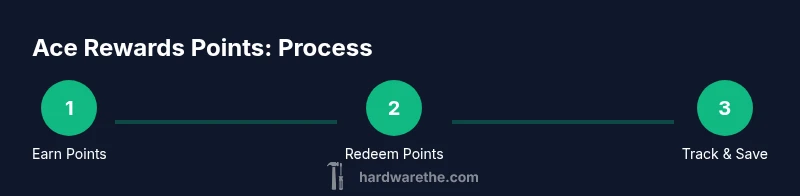
Earning points typically occurs whenever you make eligible purchases either in-store or online. Look for products tagged as Ace Rewards eligible and ensure your account is linked to the transaction. If you’re shopping in-store, present your loyalty card or scan the app at checkout to credit points to your account. Online, sign in and confirm that your Ace Rewards number is associated with the order. Promotions can also boost earning rates, especially during seasonal sales or member-exclusive events. The Hardware emphasizes consistency here: even small, regular purchases accumulate over time, so frequent customers reap meaningful rewards without changing buying habits.
Earning points: promotions and events
Promotions are where you can dramatically accelerate point growth. Ace occasionally runs double-earn events, bonus point days, or tier-specific boosters. The key is to stay informed: enable push notifications in the Ace app, subscribe to newsletters, and watch in-store signage for promo codes. The Hardware Analysis, 2026, notes that timing promotions with your planned purchases can amplify value, so plan bigger-ticket repairs or upgrades around these periods. This proactive approach keeps you ahead of the seasonal rush and ensures you don’t miss high-value opportunities.
Redeeming points: before you buy
Redeeming is typically done at checkout, whether you’re purchasing online or in person. Points can be applied as a discount toward eligible items, up to a limit defined by current terms. Before committing, compare the value of using points now versus saving them for a larger future purchase. Some redemptions offer the best per-point value on certain product categories, so review category-specific redemption options in the app or on the website. The aim is to maximize the discount without depleting your balance on low-value redemptions.
Redeeming points: constraints and limitations
Redemption rules often include exclusions, minimum balance requirements, and caps on the number of points you can apply per transaction. Expiration policies may also govern how long points stay active, so it’s important to know when you last earned and when you must use them. If a promotion temporarily increases point value, confirm whether that boost applies to items in your cart before finalizing the purchase. This section helps you navigate the fine print and protect your rewards from lapsing.
Maximizing value: combining points with coupons and member benefits
To extract maximum value, pair points with current promotions, coupons, or member perks such as free services or extended warranties. Some retailers allow stacking, while others do not, so always verify stacking rules before checkout. The best strategy is to map a purchase to a high-value redemption and then add any eligible coupons. The Hardware recommends a simple rule: redeem points on items where the discount is not duplicate with a coupon, thus ensuring you don’t miss out on extra savings.
Managing your balance: tracking points and expiration
Keep a close eye on your balance using the Ace Rewards app or online account. Regularly check for expiring points and any changes in redemption terms. If you know an upcoming project requires multiple items, time your purchases to align with promotions and point expiration windows. Proactive balance management helps you avoid last-minute rushes and ensures you’re able to apply points when it matters most. The habit pays off in smoother budgets and fewer missed opportunities.
Common mistakes and how to avoid them
Avoid treating points as an afterthought. Always verify that the points posted after a purchase and that you’re not using points on ineligible items. Don’t wait until the last minute to check expiration dates—unexpired points can vanish if left idle. Resist the urge to redeem for low-value items just to reduce the balance; instead, plan redemptions that maximize per-point value for bigger projects. Finally, keep your account linked to both online and in-store purchases to prevent gaps in earning.
Real-world scenarios: sample redemptions
Scenario A: You’re buying a set of hand tools and a small bag of fasteners. You might redeem a portion of points to offset the higher-cost items, then pay the rest with cash or card. Scenario B: You’re stocking up on organizational supplies during a promotion that earns extra points; combine the promotion with a manufacturer coupon for a double savings effect. Scenario C: You plan a mid-size project and time it during a double-earn weekend to maximize returns on the items you need.
Authority sources and further reading
For deeper reading on loyalty programs and customer rewards, consult reputable sources such as Britannica's overview of loyalty programs (https://www.britannica.com/topic/loyalty-program) and Harvard Business Review articles on customer loyalty strategies (https://hbr.org/). You can also explore consumer-focused guidance on general loyalty program practices from trusted outlets like Consumer Reports (https://www.consumerreports.org/). These sources provide context to loyalty programs that complements practical advice for Ace Rewards.
Get started today: quick setup steps
Begin by opening the Ace Rewards app or visiting the Ace Hardware website and locating your account section. Link your preferred payment method and ensure your loyalty number is associated with every purchase. Set up alerts for promotions and milestones, and schedule upcoming projects to align with double-earn events if available. Starting today keeps you in the habit of earning and redeeming efficiently, turning ordinary shopping into a steady stream of savings.
Tools & Materials
- Ace Rewards app or loyalty card(Install app on your smartphone or bring the loyalty card to store)
- Smartphone with internet access(For tracking balance and promotions)
- Internet connection(Needed for online earning and redemption)
- Receipt or order number(Helpful if verifying points after a purchase)
- Pen and notepad(Jot down promo codes or balance checks)
Steps
Estimated time: 15-25 minutes
- 1
Open your Ace Rewards app or website
Launch the app or log in to your Ace Rewards account on the web. Verify that your profile is up to date with your current contact information and preferred store location.
Tip: Enable app push notifications to receive real-time promo alerts. - 2
Link payment methods
Ensure your payment method is linked to your Ace Rewards account so purchases can automatically apply points where eligible. This speeds up checkout and reduces manual steps.
Tip: Use a single primary method to simplify tracking across purchases. - 3
Identify eligible items
Before shopping, scan the product or item page to confirm it earns points and whether it is eligible for redemption. Some items may be excluded from earning or redemption.
Tip: If in doubt, ask store staff to confirm eligibility. - 4
Earn points on purchases
Make qualifying purchases in-store or online, ensuring your account is scanned or linked. Track your balance after checkout to confirm points posted.
Tip: Keep receipts until points post, in case of delays. - 5
Check for promotions
Look for double-earn events or bonus point days. Promotions can significantly boost your balance growth when scheduled around major buys.
Tip: Plan large purchases during promo windows for maximum value. - 6
Plan a redemption
When you have enough points, choose a redemption option that fits your upcoming project. Apply the discount at checkout carefully to maximize value.
Tip: Compare point value per dollar across items to avoid low-value redemptions. - 7
Apply points at checkout
At checkout, select the option to apply points. Confirm the discount reflects before finalizing the purchase.
Tip: If online, review the order total after applying points to ensure accuracy. - 8
Track expiration
Regularly review your balance for expiration dates and use points before they lapse. Set reminders if available.
Tip: Avoid letting points sit idle for too long. - 9
Combine with coupons and promos
Stack points with qualifying coupons or member benefits when allowed. Read terms to avoid disqualifications.
Tip: Always check stacking rules before combining discounts. - 10
Review activity regularly
Periodically review purchase history to confirm earned points and redemption accuracy. Correct any errors promptly with customer service.
Tip: Reconcile monthly to catch mistakes early.
FAQ
What purchases earn Ace Rewards points?
Most eligible in-store and online purchases earn Ace Rewards points. Some exclusions may apply, such as services or gift cards. Always check product terms in the app or on the website.
Most purchases earn points, but check exclusions in the app before you buy.
Do Ace Rewards points expire?
Points typically have expiration rules outlined in your account terms. Be sure to review the expiration dates in the app to avoid losing rewards.
Points can expire if not used within the set timeframe, so monitor your balance.
Can I stack points with coupons or discounts?
Stacking rules vary by promotion and item. Check the terms at checkout to see if points can be combined with coupons or other discounts.
Stacking depends on the promotion—verify terms before checkout.
How do I check my Ace Rewards balance?
Open the Ace Rewards app or log in to your account on the website to view your current balance, recent activity, and upcoming expiration dates.
Open the app to see your current balance and activity.
Are rewards regional or universal?
Some promotions and earning rates can vary by region or store. Always verify local terms and active promos before planning redemptions.
Promotions can vary by region, so check local terms.
What happens if I return a purchase bought with points?
Returns may affect point balance depending on the store’s policy. Points earned may be deducted or re-credited after the return is processed.
Returning items can adjust your points balance; check the policy after return.
Watch Video
Main Points
- Earn points with every eligible purchase
- Plan redemptions to maximize value per point
- Stay aware of expiration and promotions
- Combine points with coupons when allowed
- Track your balance regularly to avoid lapses